Overview
This guide will help you control SSH access to your server.
Procedure
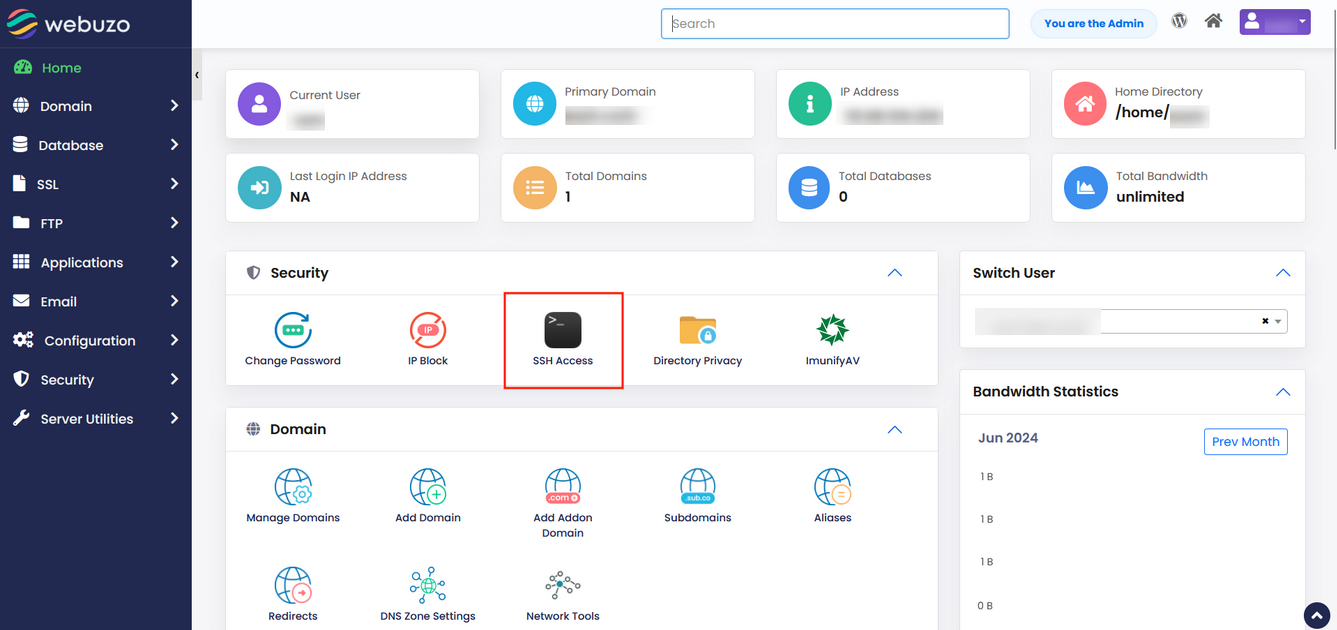
Click on SSH Access from the Security Section.
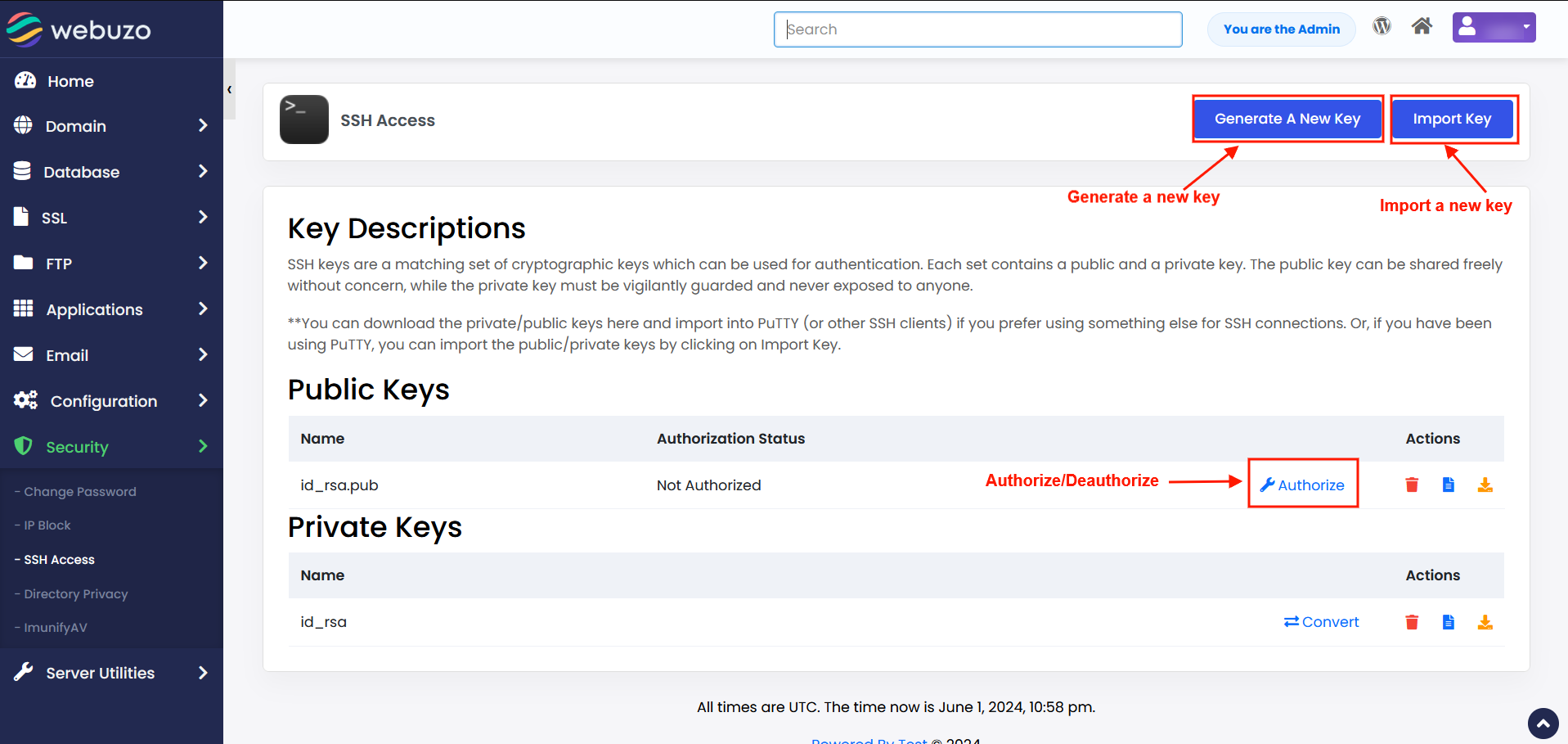
Click on Generate Key Option to create a Public / Private Key. You can also import your Public / Private Key. Click on Authorize option to Authorize or Deauthorize.
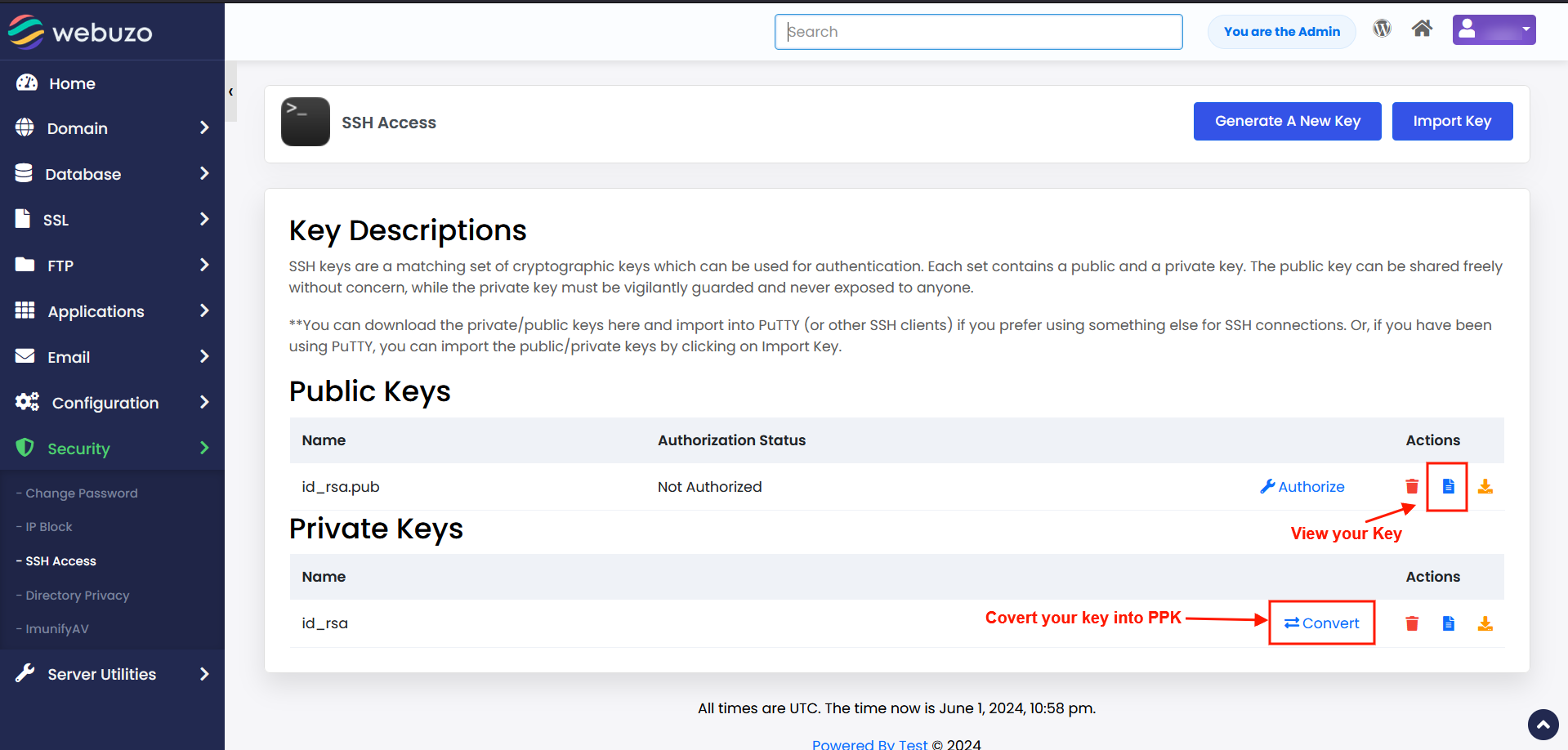
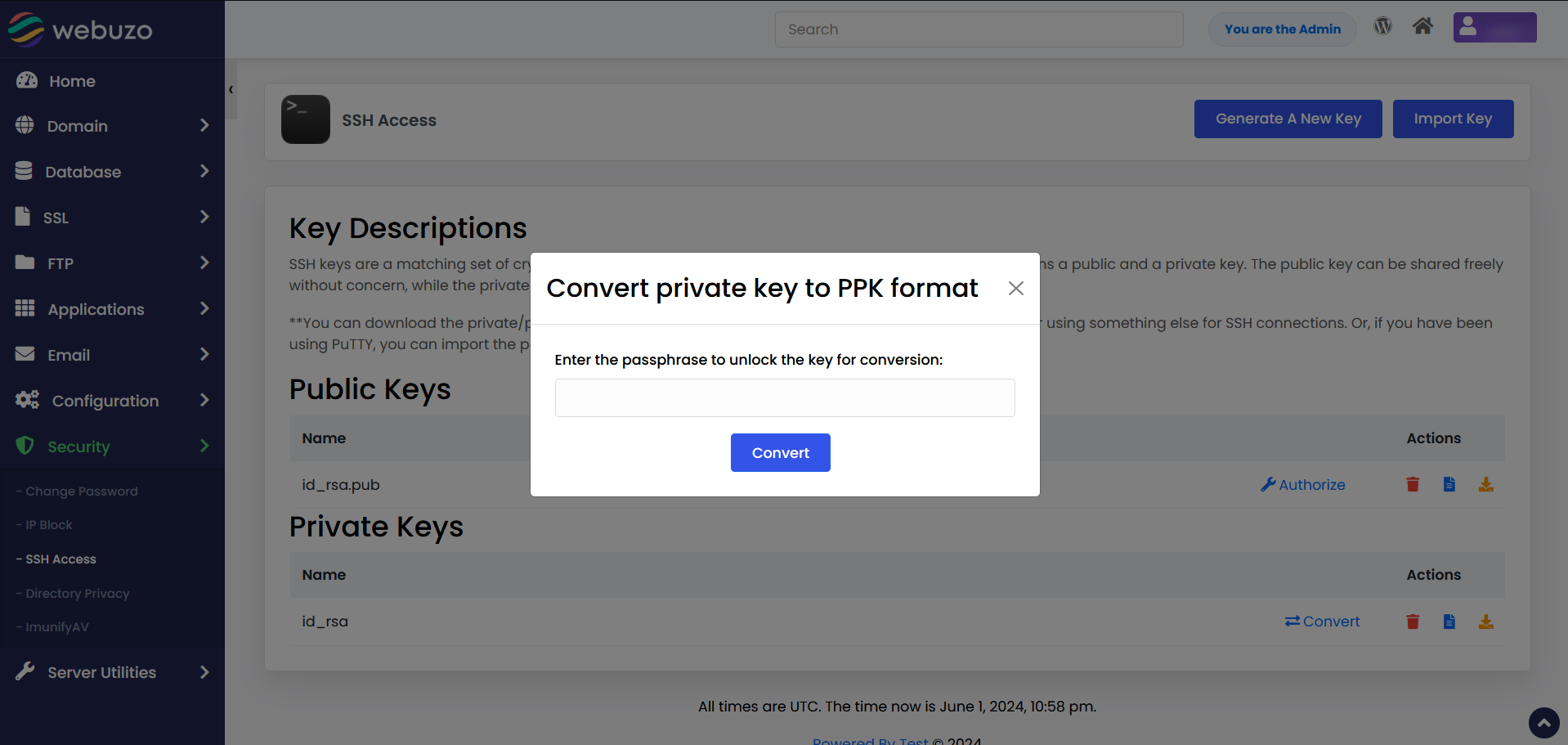
You can convert your Private Key into PPK format. Also, you can view your Public / Private Key using view option.