Overview
This guide shows you how to Create API Key.
Procedure
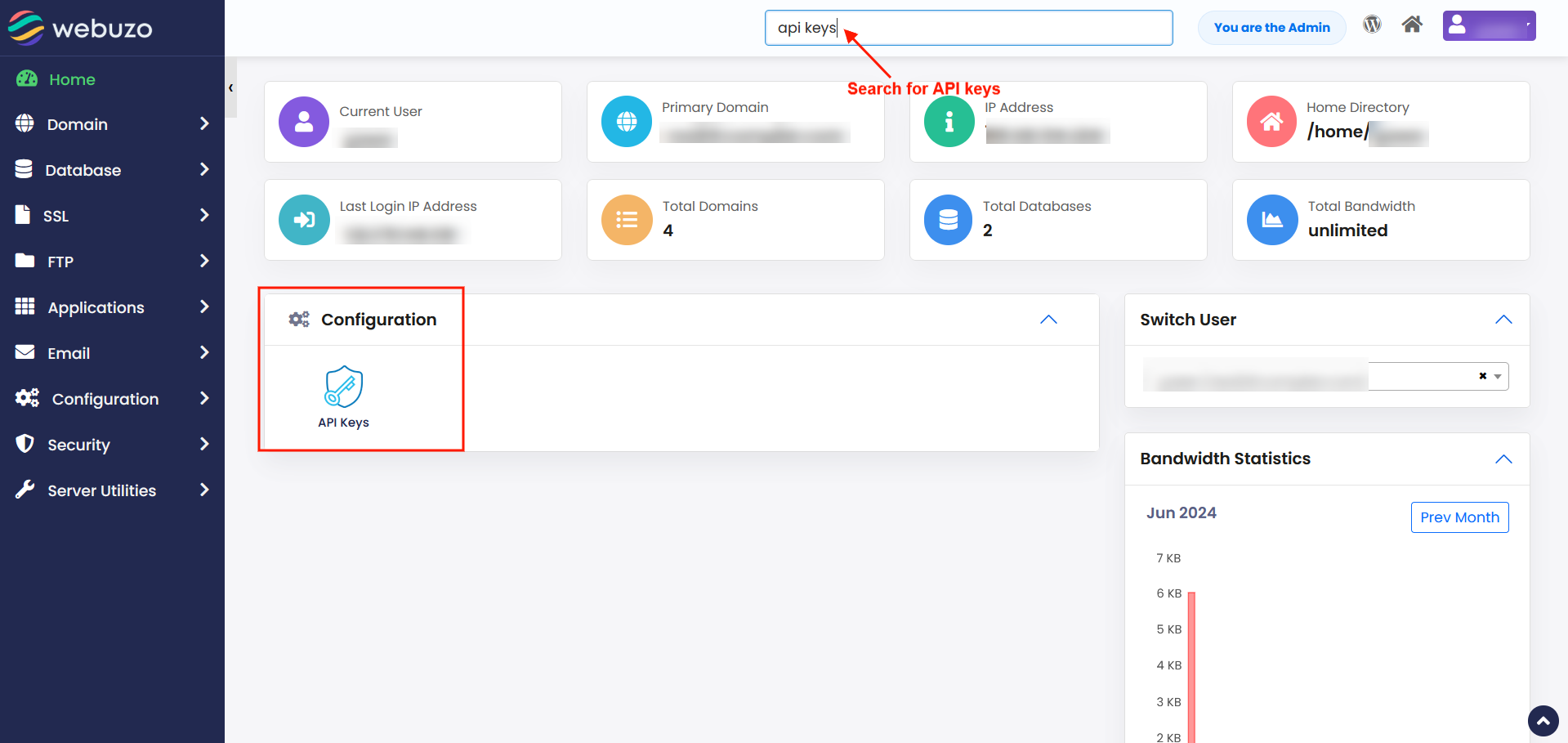
You can create API Keys from your Webuzo enduser panel > Configuration > API Keys
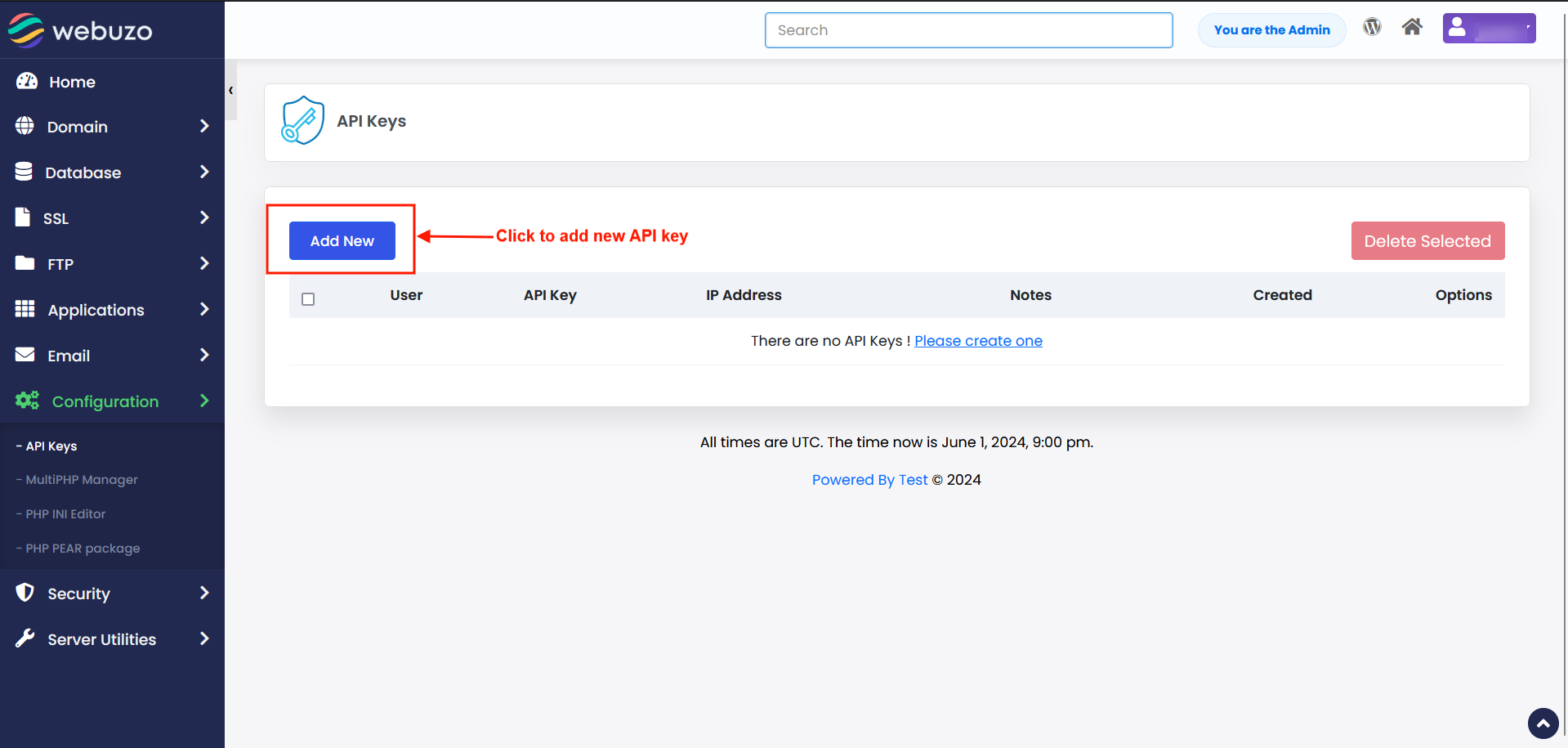
In order to create a new API Key click on Add New button.
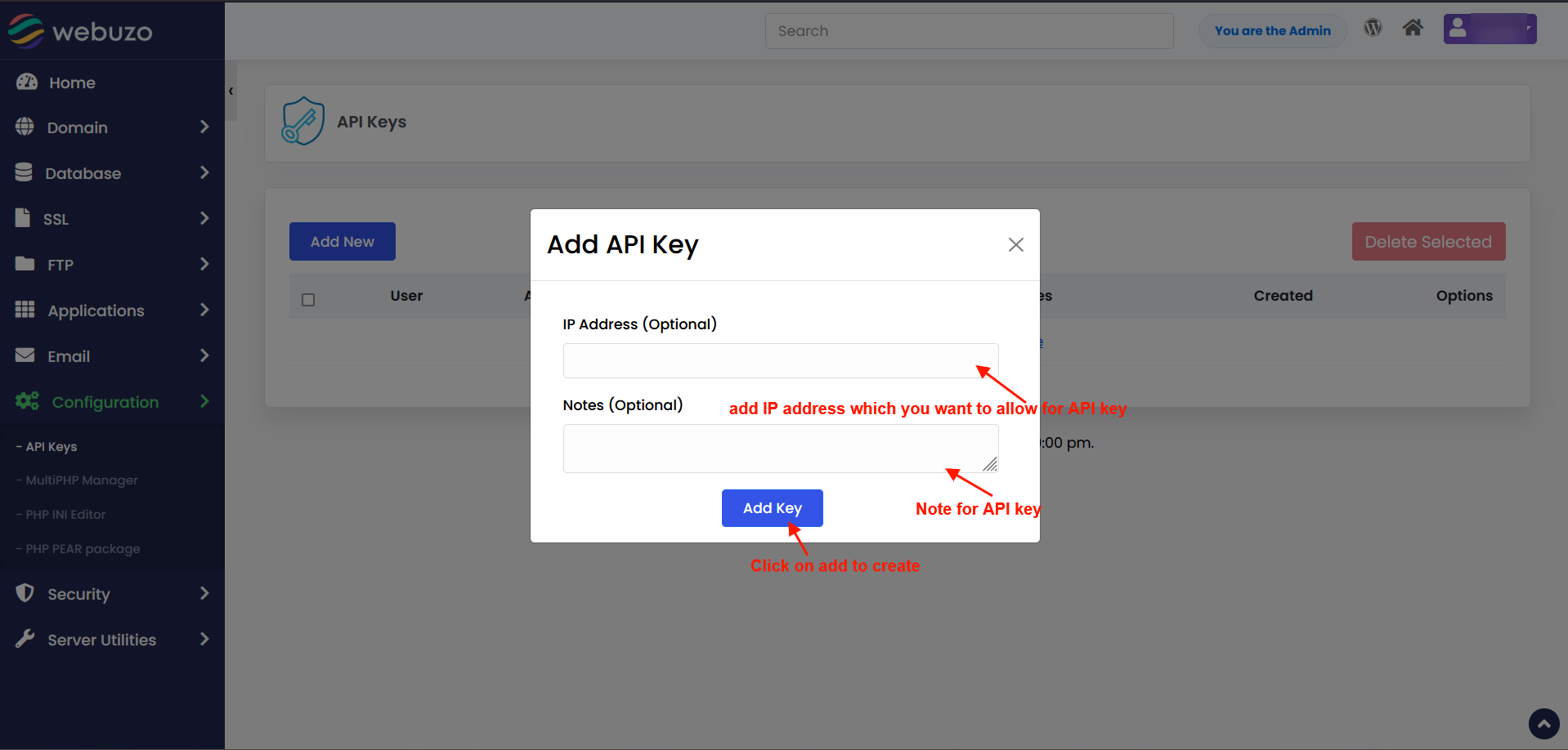
Add API Key modal will appear on click.
Add IP Addresses in the IP Address field which you want to allow for API Key. If you do not enter any IP then API will be accessible from any IP Addresses. You can restrict usage of API key pass from the selected IPs if you need.
Add Note for API Key in Notes. It's optional.
Then hit Add Key button to create a API Key.
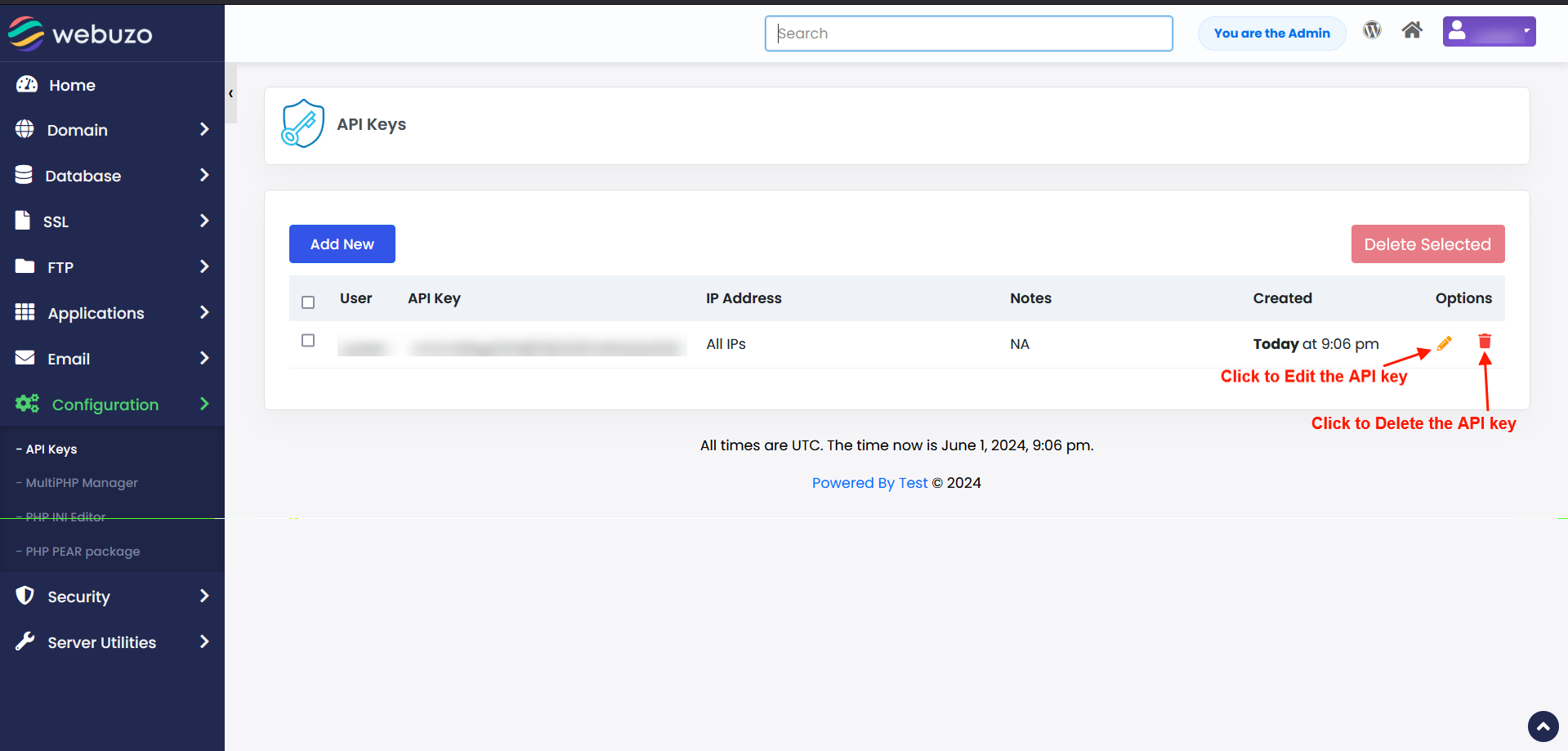
Edit / Delete API Keys
You can also Edit or Delete API Keys.