
Overview
This guide will show you how to set routes for emails.
you can set routes from webuzo User Panel > Email > Email Router
How Does Mail Routing Work?
The process of directing a message to the recipient’s host is called routing. Apart from finding a path from the sending site to the destination, it involves error checking and may involve speed and cost optimization.
Set Router
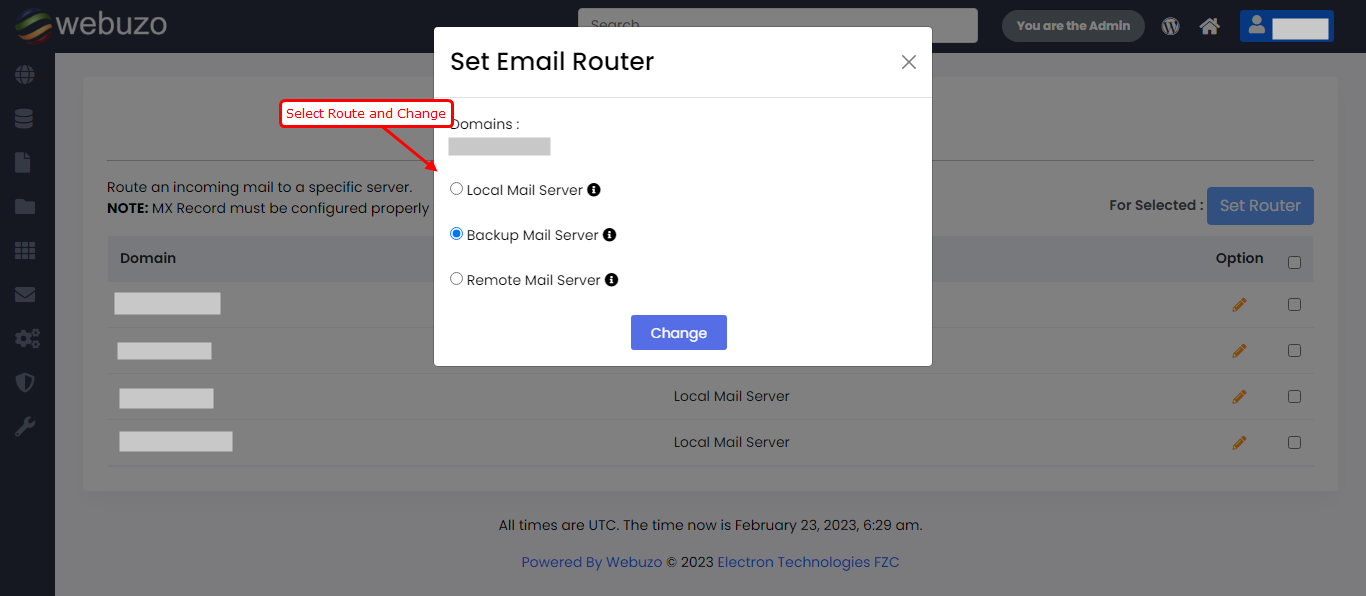
From webuzo panel you can set email router by setting router for domains, it will route all emails for that domain. Default router will "Local Mail Server".
Note that, before setting up router MX Record must be configured properly to route the mail. Click here if you want guide for add MX record
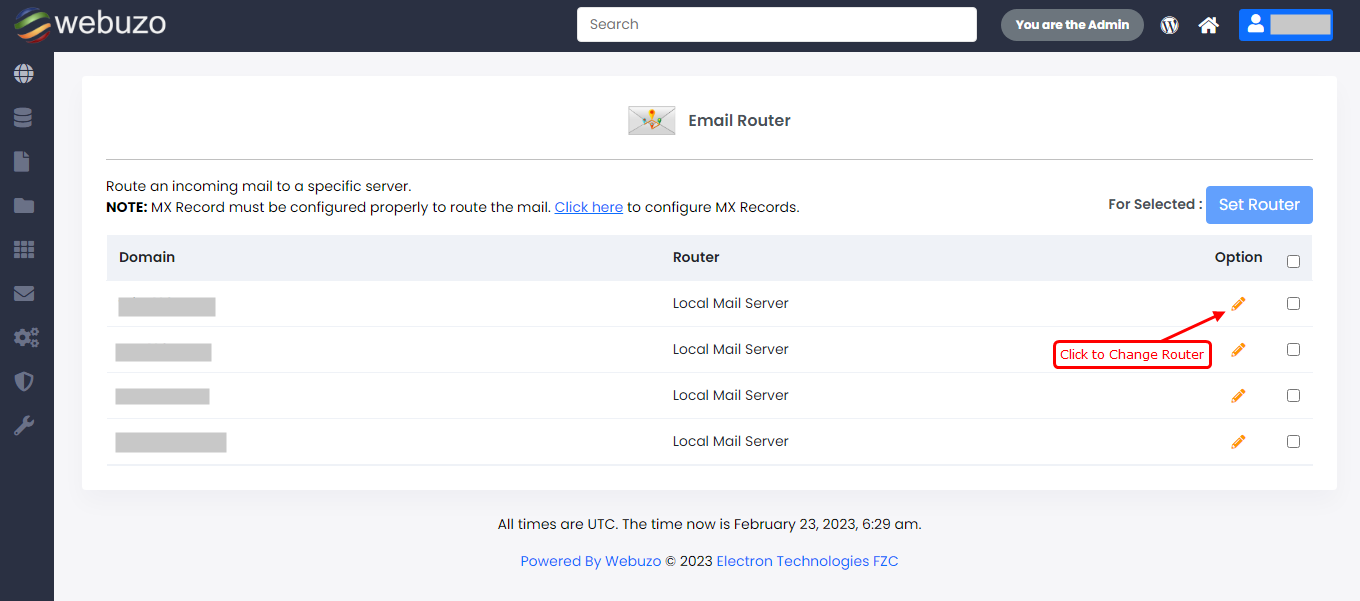
Prompt box will open for set router.
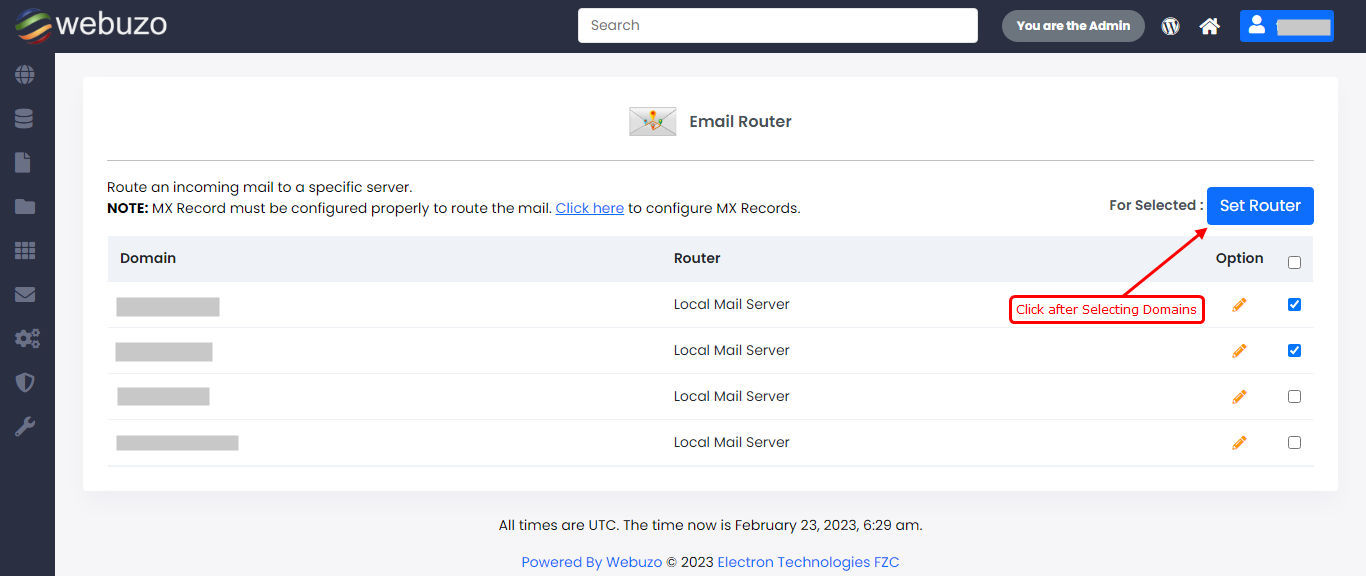
You can set router for multiple domains also,
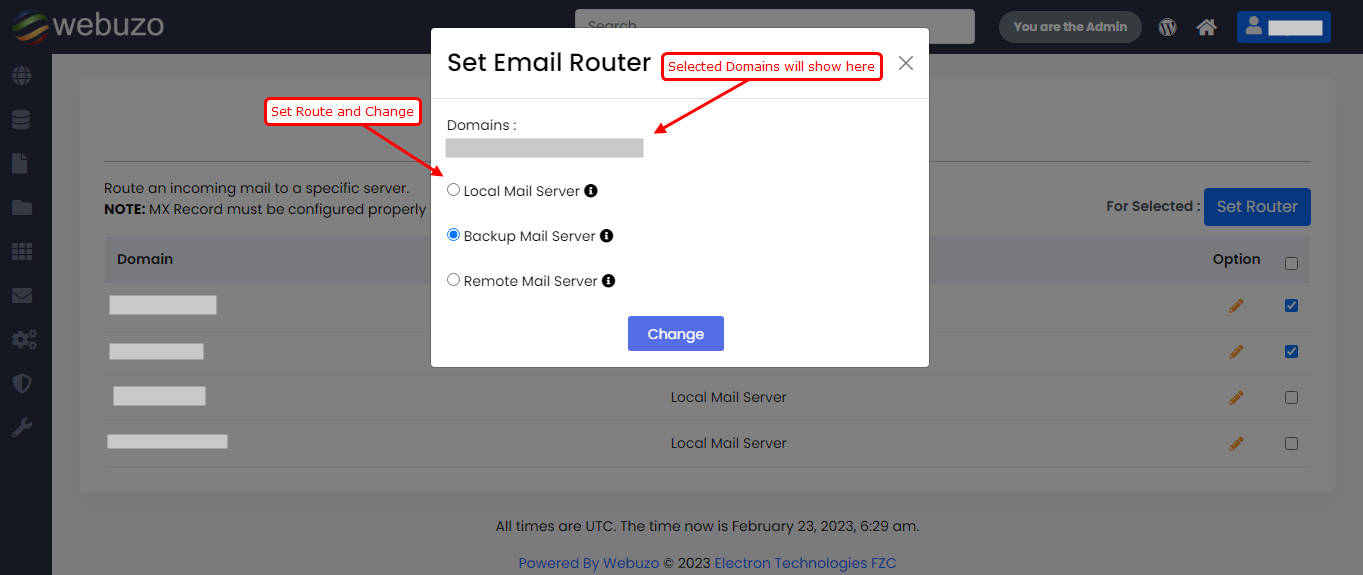
Route will set for all selected Domains.