
Overview
This guide will show you how to view the Email Configuration for your website and use the same for configuring various Email clients.
Procedure
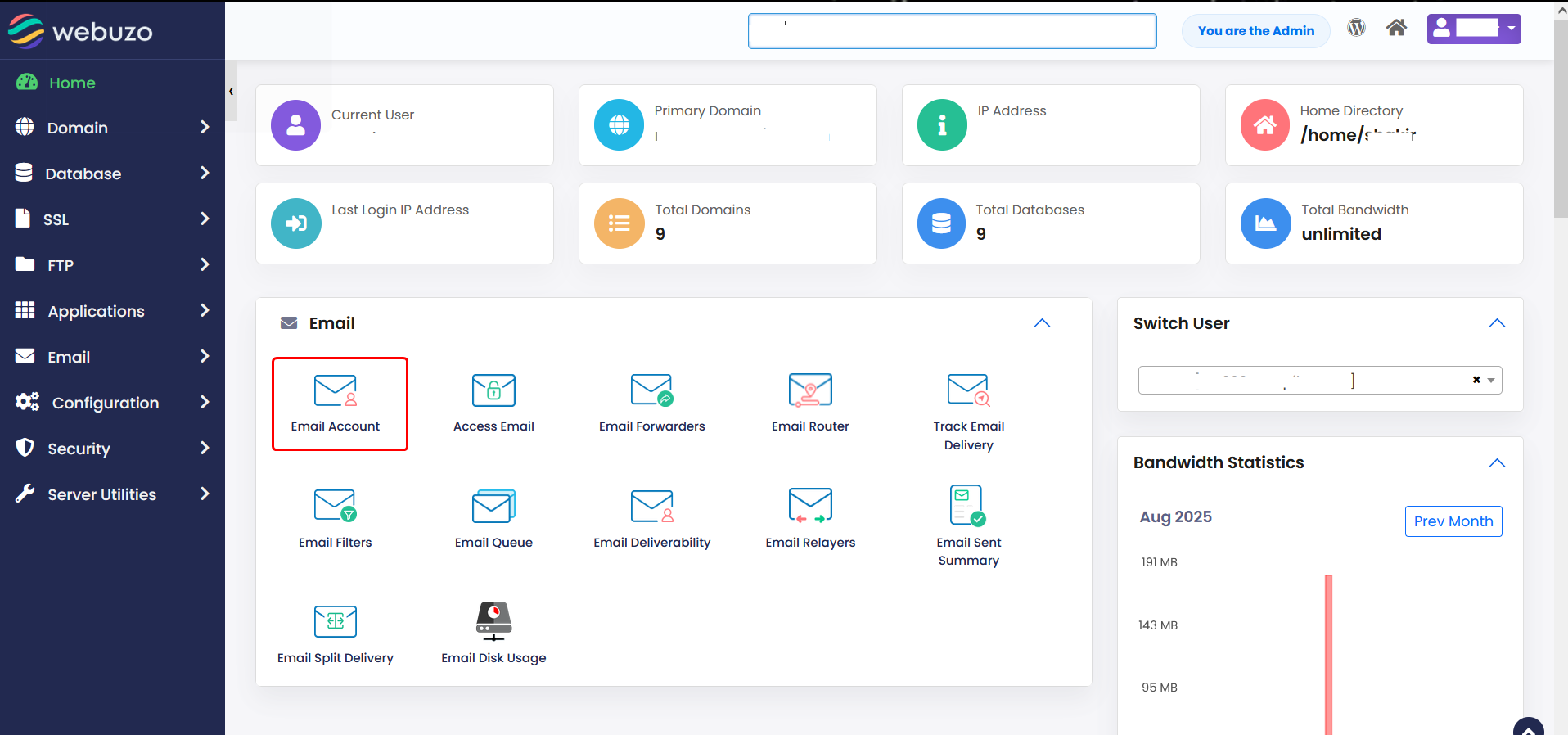
- You can view a Email Configuration from your Webuzo Enduser Panel > Email Section > Email Account.
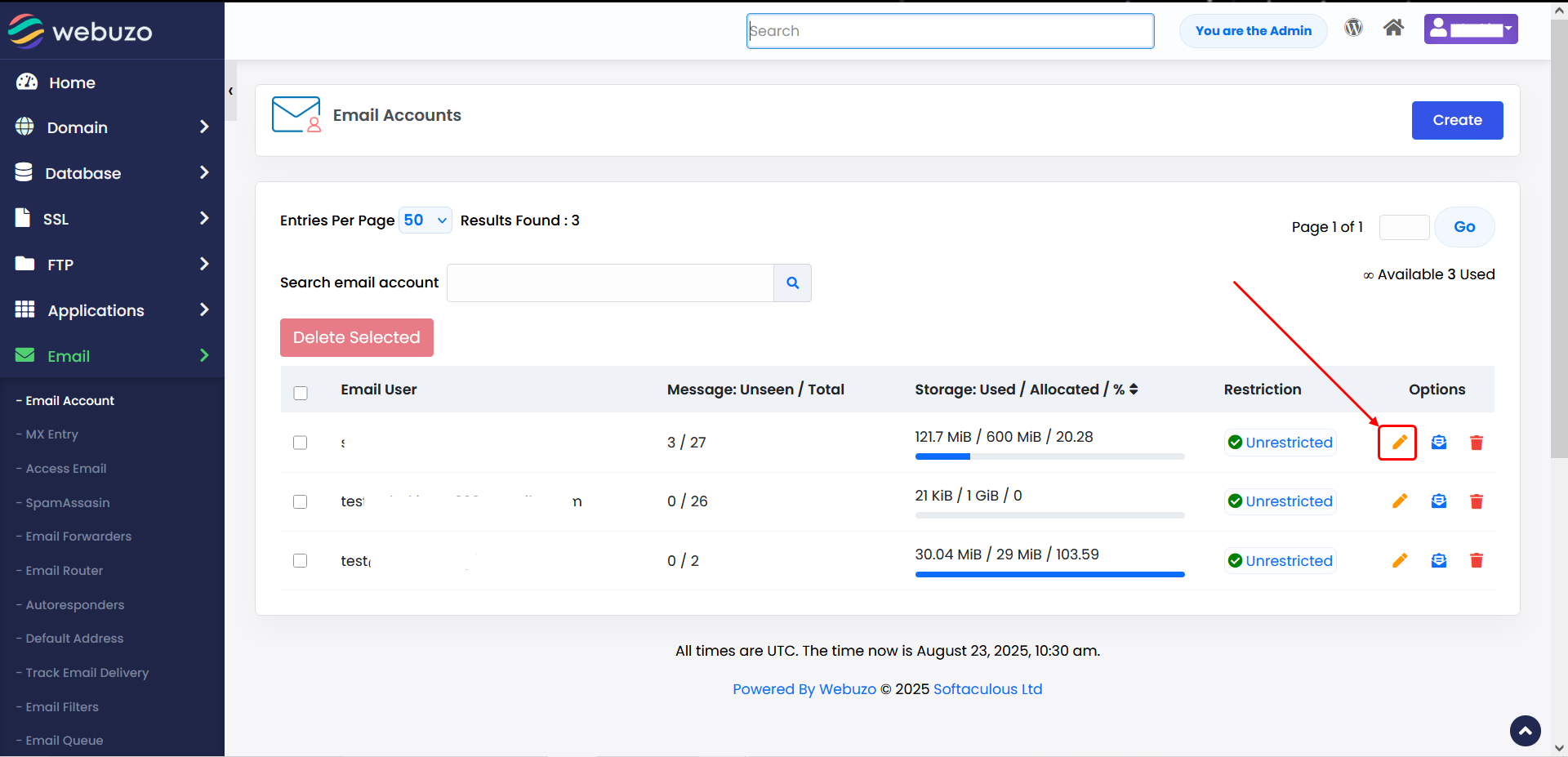
- Click On Edit button to view your Email Configuration Details.
You will see Mail Settings at the bottom.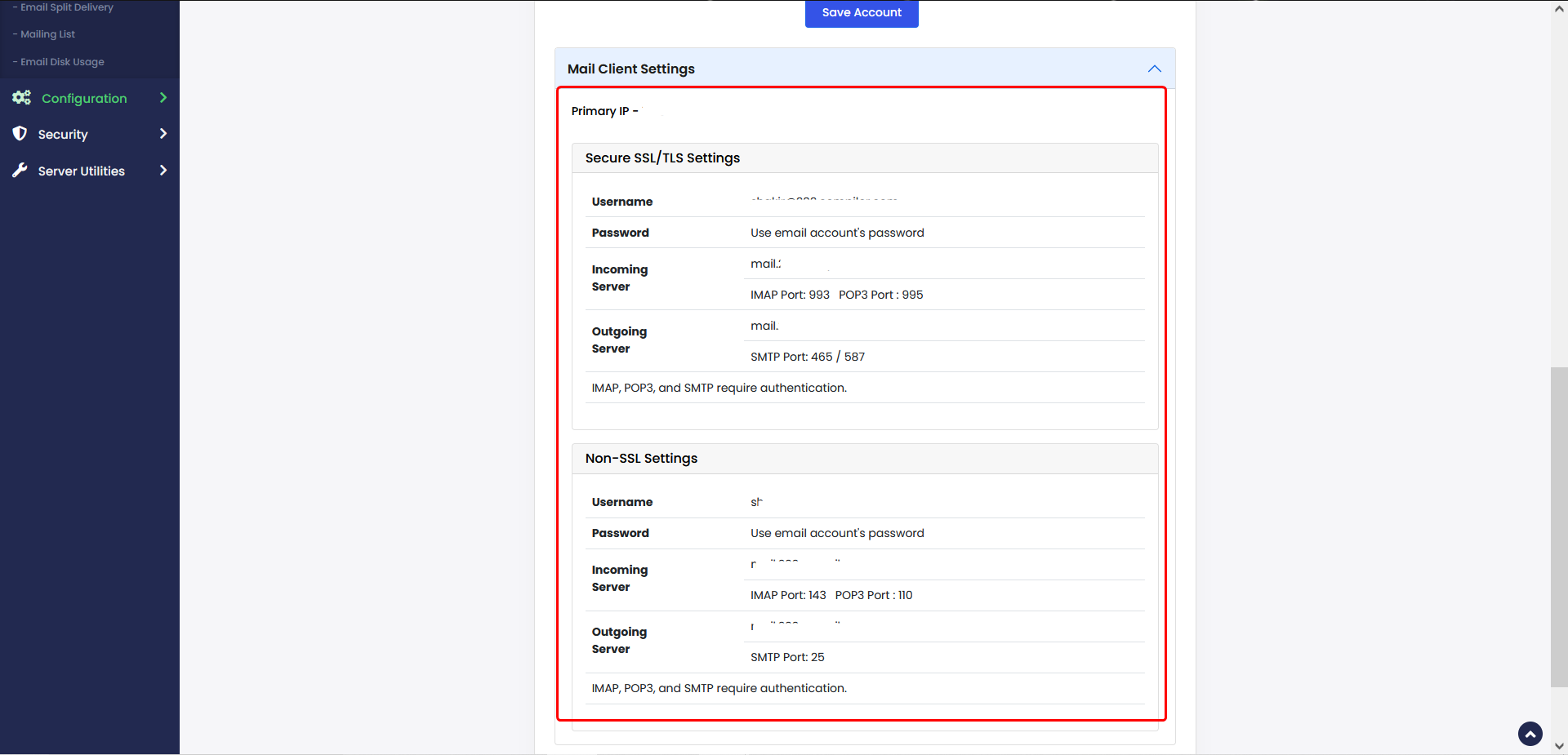
The settings to be used for configuring email on any client are displayed.
The Mail Client Settings for Webuzo server shall be:
Primary IP - Webuzo Server's IP
SMTP Server - The Primary domain name
SMTP Port - 25
IMAP Server - The Primary domain name
IMAP Port - 143
POP3 Server - The Primary domain name
POP3 Port - 110