Overview
This guide will show you how to check your disk usage.
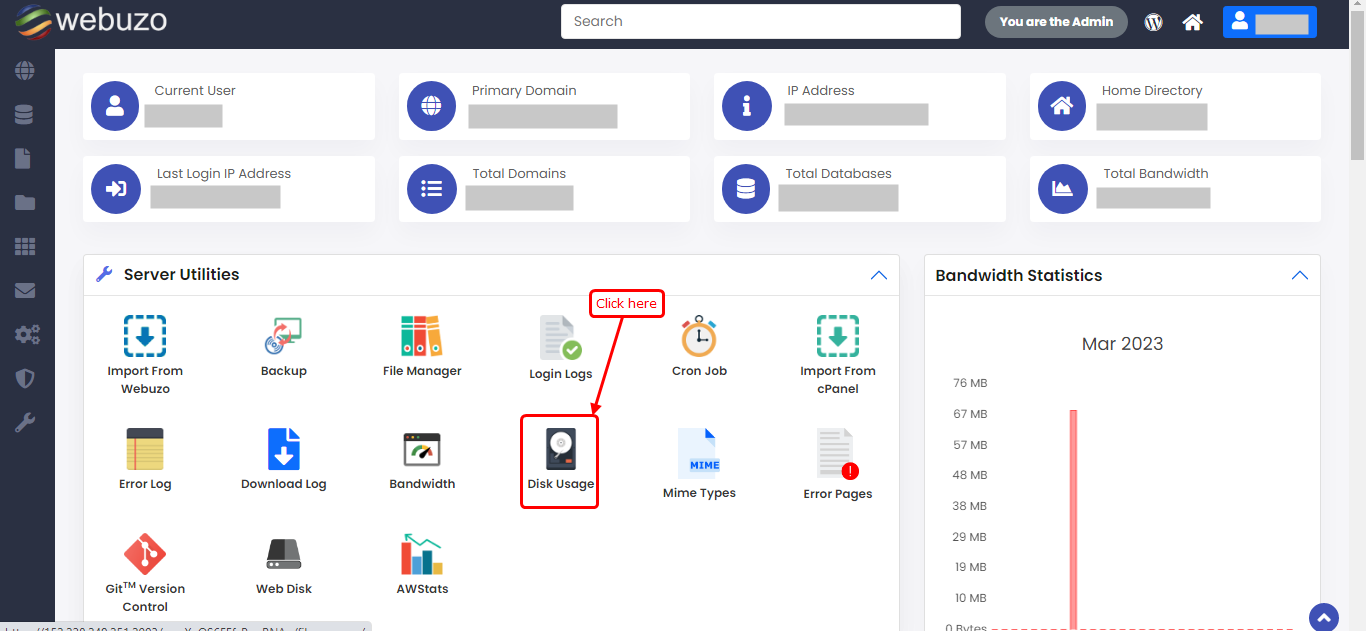
You can check your Disk Usage from Webuzo User Panel > Server Utilities > Disk Usage.
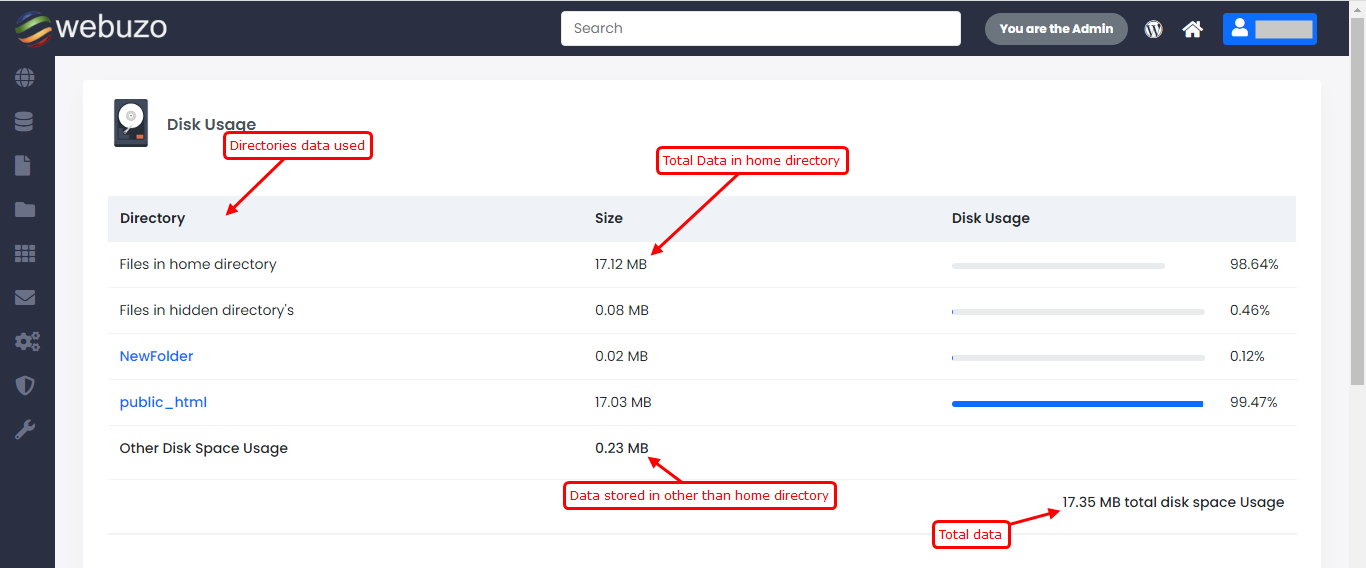
Disk Usage
The progress bar shows how much percent is used by that directory from the total disk space used.
Note : "Other Disk Space Usage" calculate the data which data is owned by user but located outside the "/home/USER_NAME/ directory.
"File in home directory" shows disk percentage base on total disk space usage.
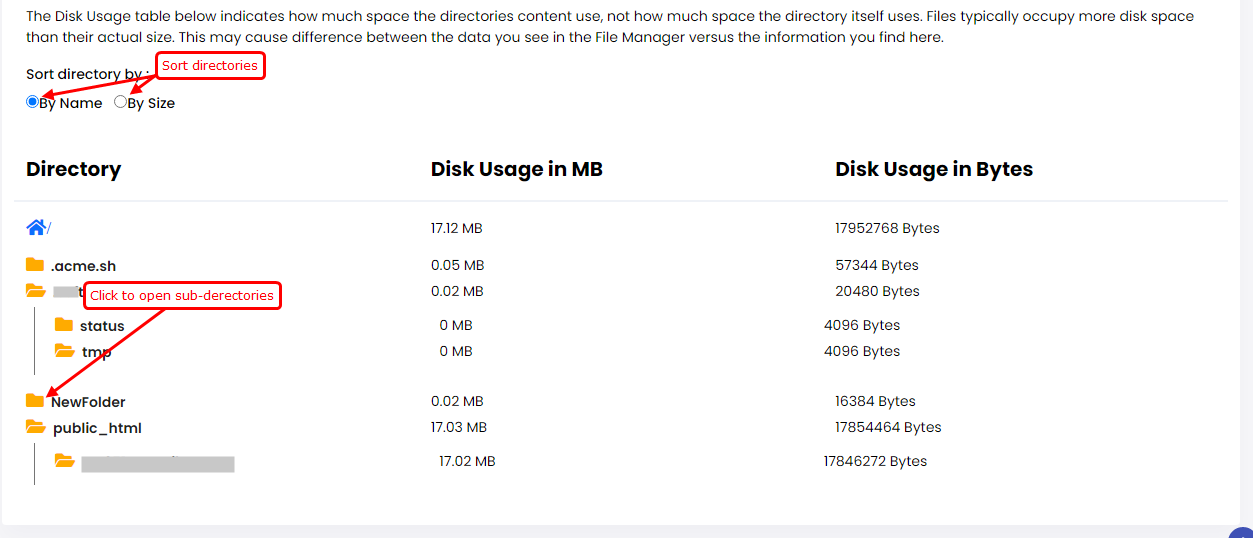
The Disk Usage table below indicates how much space the directories content use, not how much space the directory itself uses. Files typically occupy more disk space than their actual size. This may cause difference between the data you see in the File Manager versus the information you find here.
click on directories to open sub-drectories.