
Overview
This guide will show you how to change the permission of a Web Disk Account.
Procedure
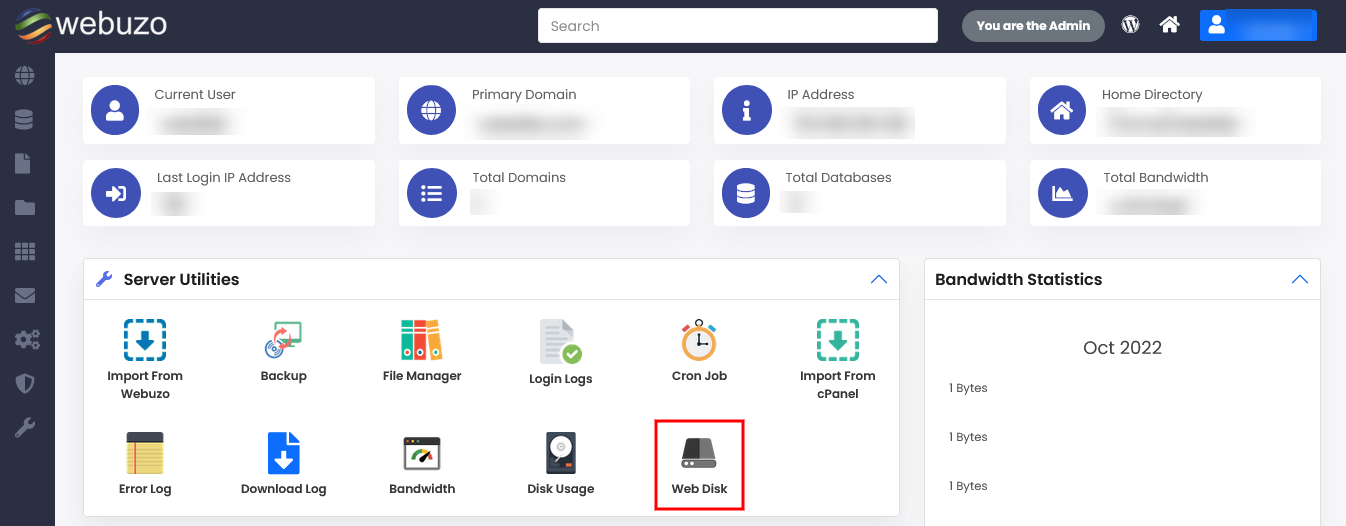
You can change the permission of a Web Disk Account from your Webuzo Enduser Panel > Server Utilities > Web Disk
Screenshot: Web Disk
Steps:
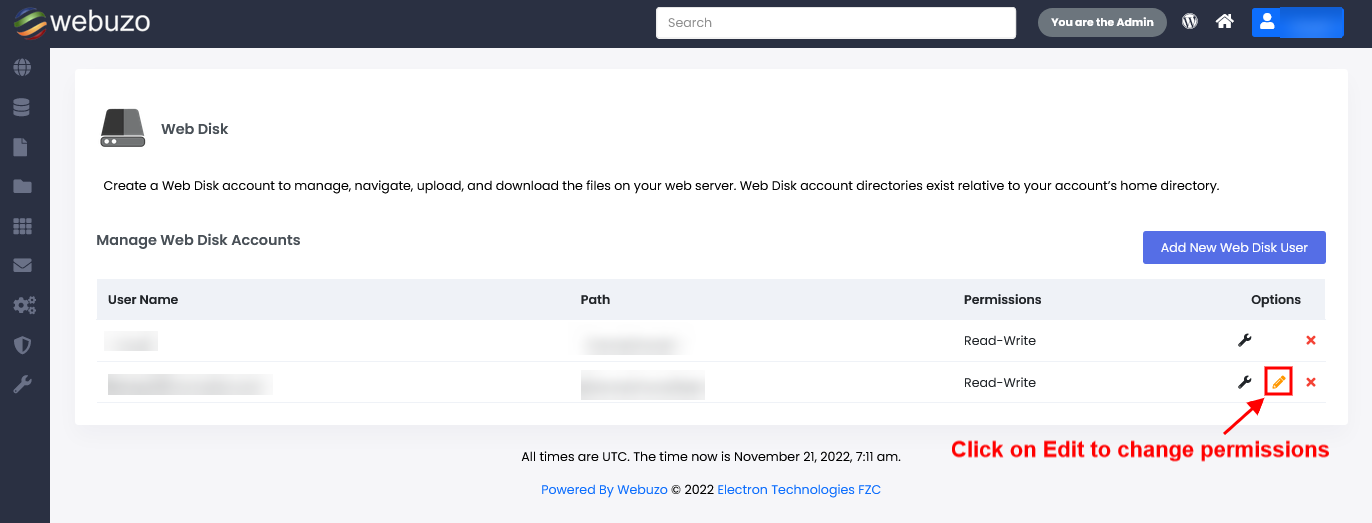
Click on the edit icon to change the permissions any of the Web Disk accounts.
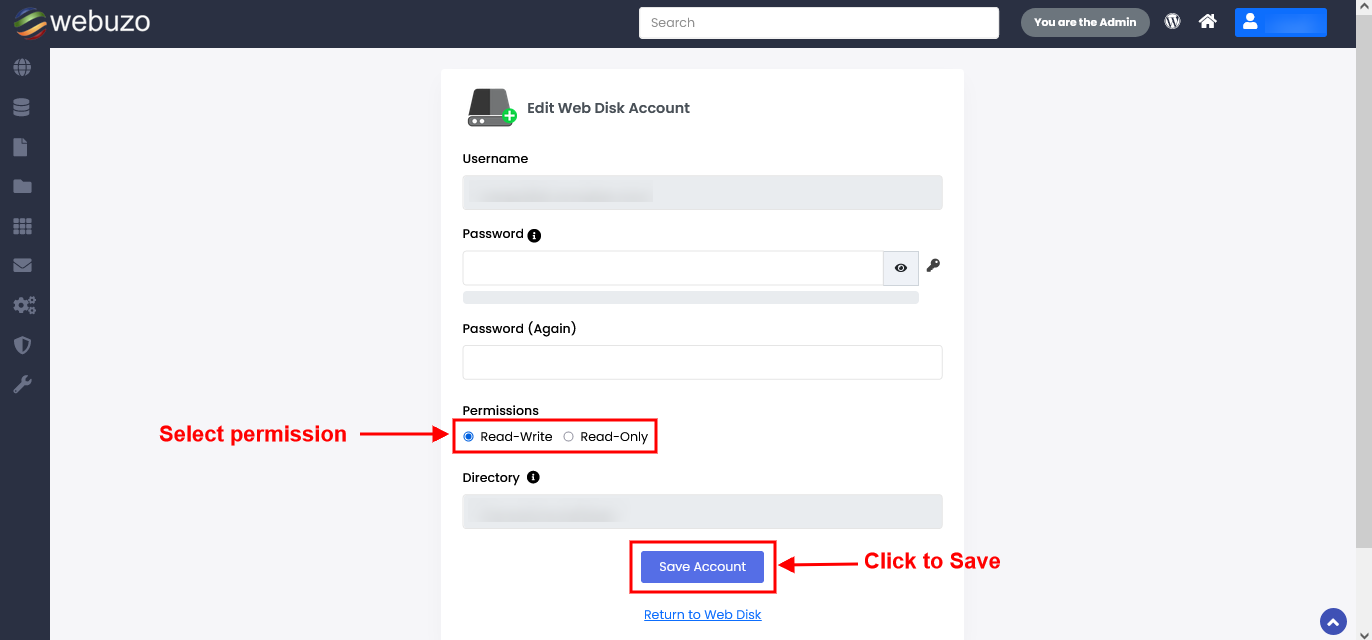
Select permissions as per your requirement and click on the Save Account Button to get it save.
Required Inputs
Read Write - This option will give all privileges to handle the files and directories for the Web Disk account.
Read Only - This option will give only read access to files and directories for the Web Disk account.
Read Only - This option will give only read access to files and directories for the Web Disk account.