Overview
This guide will help you to set default email address for your domain.
Here you can catch all the invalid emails send to your domain.
You can Set Default Email Addresses from Webuzo User Panel > Email > Default Address.
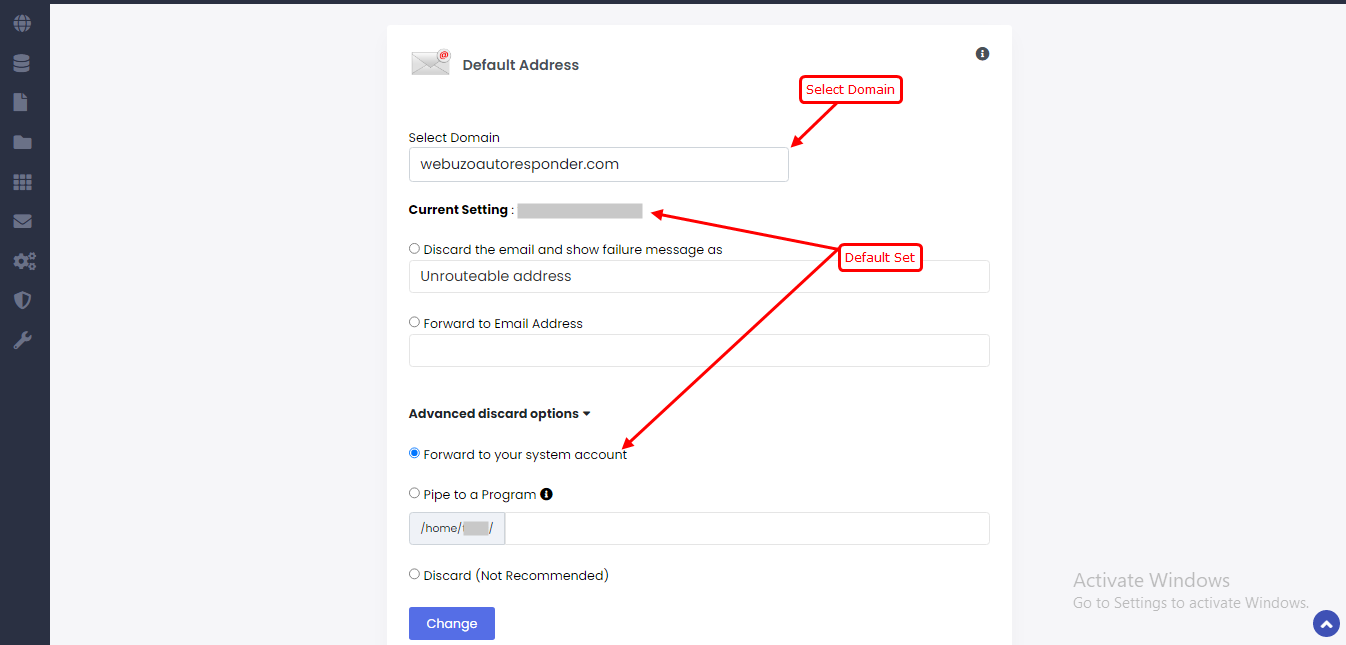
By default all the invalid emails send to your domains are forward to your System Account.
Options :
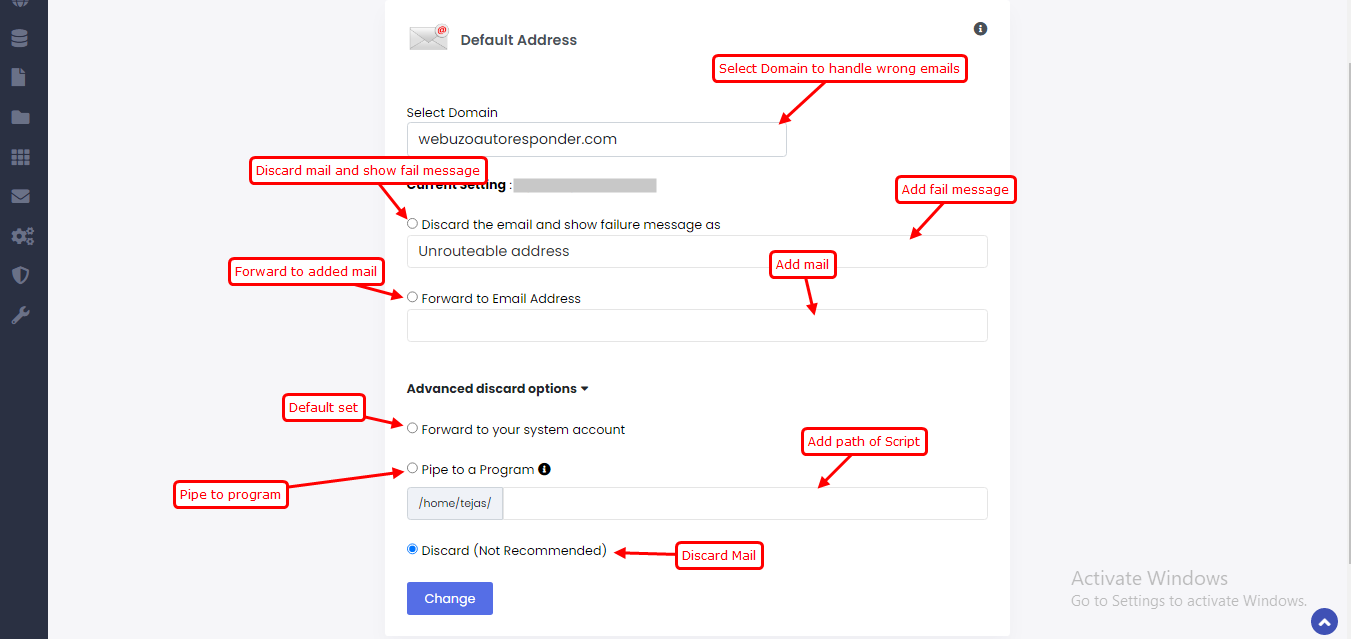
Discard the email and show failure message as : this will discard the email and message will show to sender that you have set.
Forward to Email Address : This will forward that invalid email to the email you have set for received.
Forward to your system account : This will forward the invalid email to system email.
Pipe to a Program : Enter a path relative to your home directory without your script path such as /usr/bin/perl or /usr/bin/php. Make sure that your script is executable and has the appropriate target.
Discard : This will simply Discard the mail.