
• Cart
    Your Cart is Empty

    Add some items :)

    Shop Now
  • Notifications
    Loading...
    No Notifications

    When you have any notifications added here, they will appear here.

FTP Management
2 views Feb 17, 2026

Overview

This guide shows you how to Change Password for a FTP User. 

Procedure

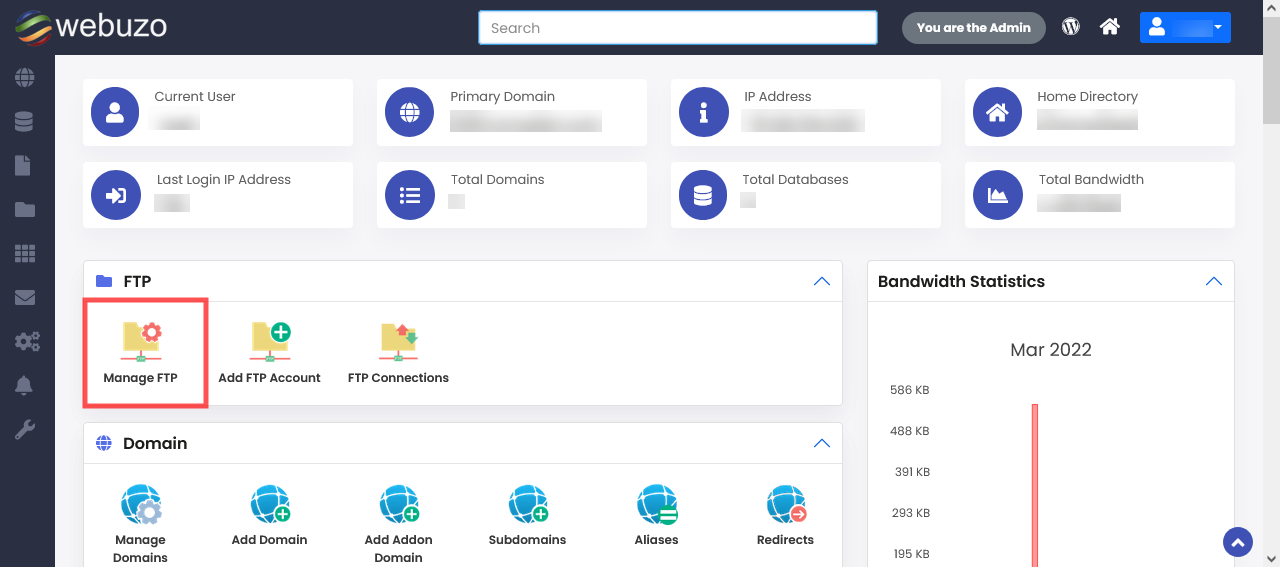
You can Change a FTP User from your Webuzo Enduser Panel > FTP > Manage FTP

Screenshot: Manage FTP
image

STEPS :

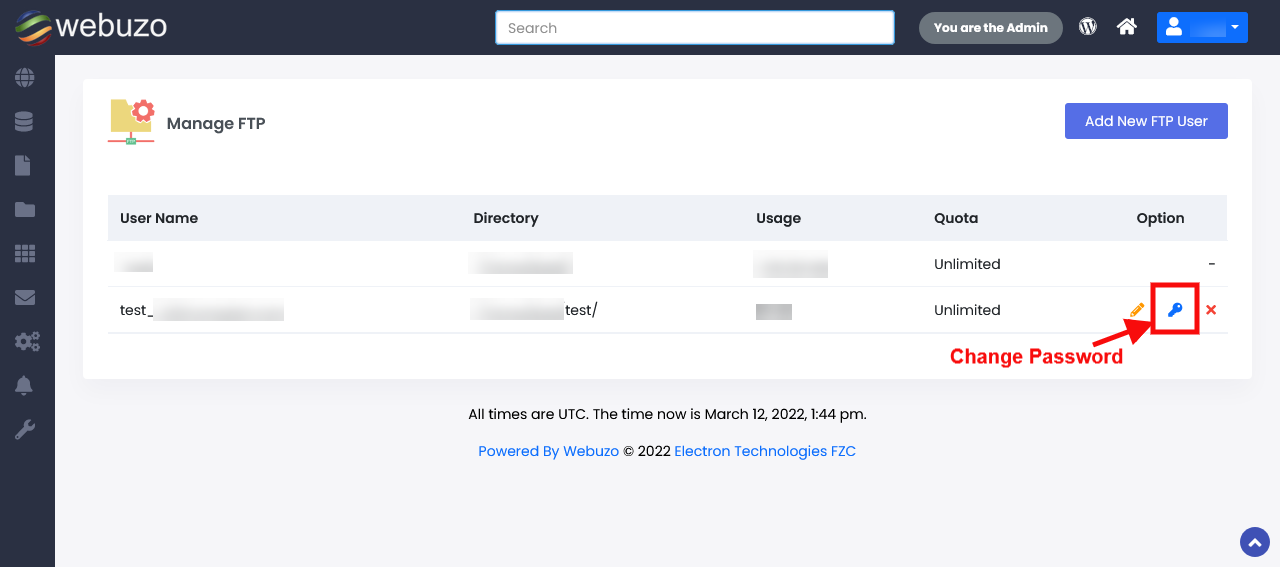
  • Click on Change FTP Password Icon as show below.
image
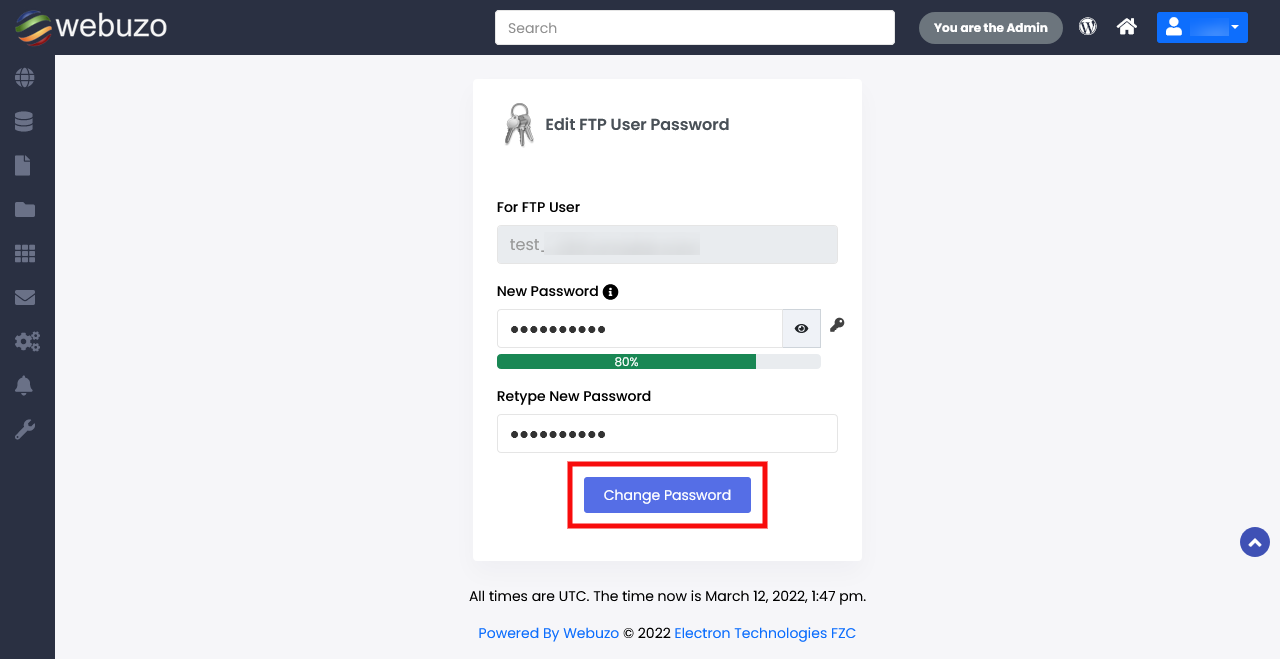
  • Specify the New Password and Confirm the same and Click Change Password.
image
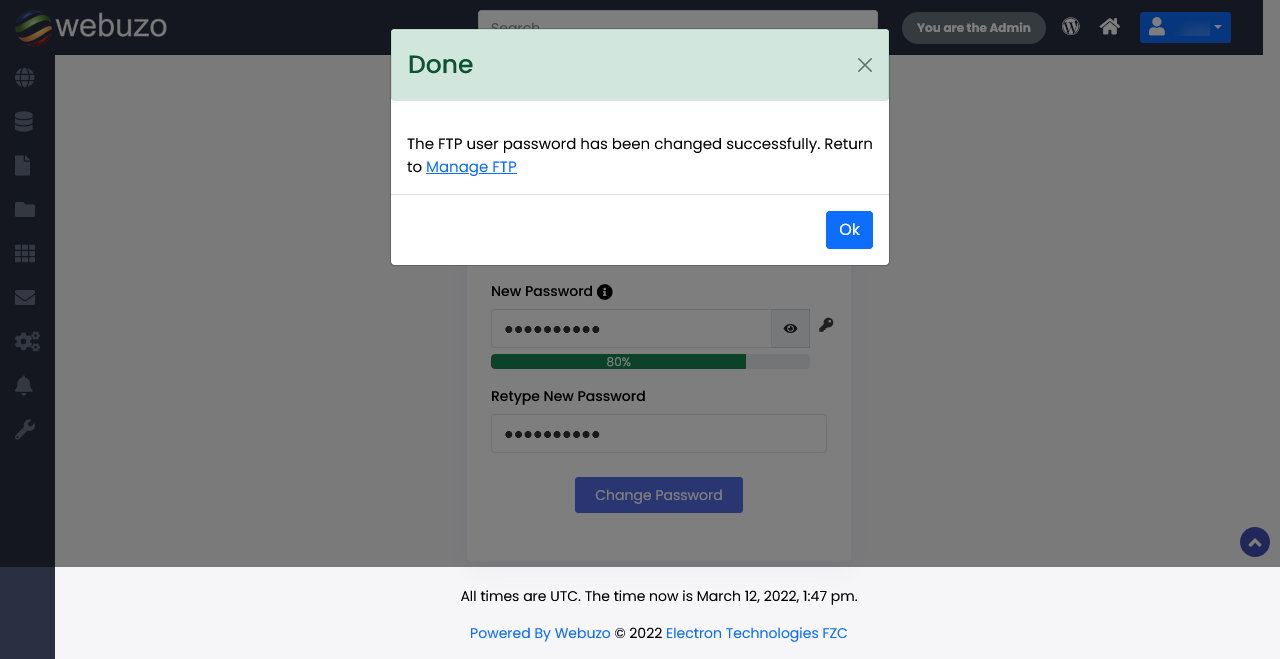
  • FTP account password will be changed successfully.
image

Required Inputs

  • Password - Specify the new password for the FTP User.
  • Confirm Password - Confirm the new password for the FTP User.