
Overview
This guide will show you how to change the password of an Email Account.
Procedure
You can change the password of an Email Account from your Webuzo Enduser Panel > Email > Email Account
Screenshot: Email Account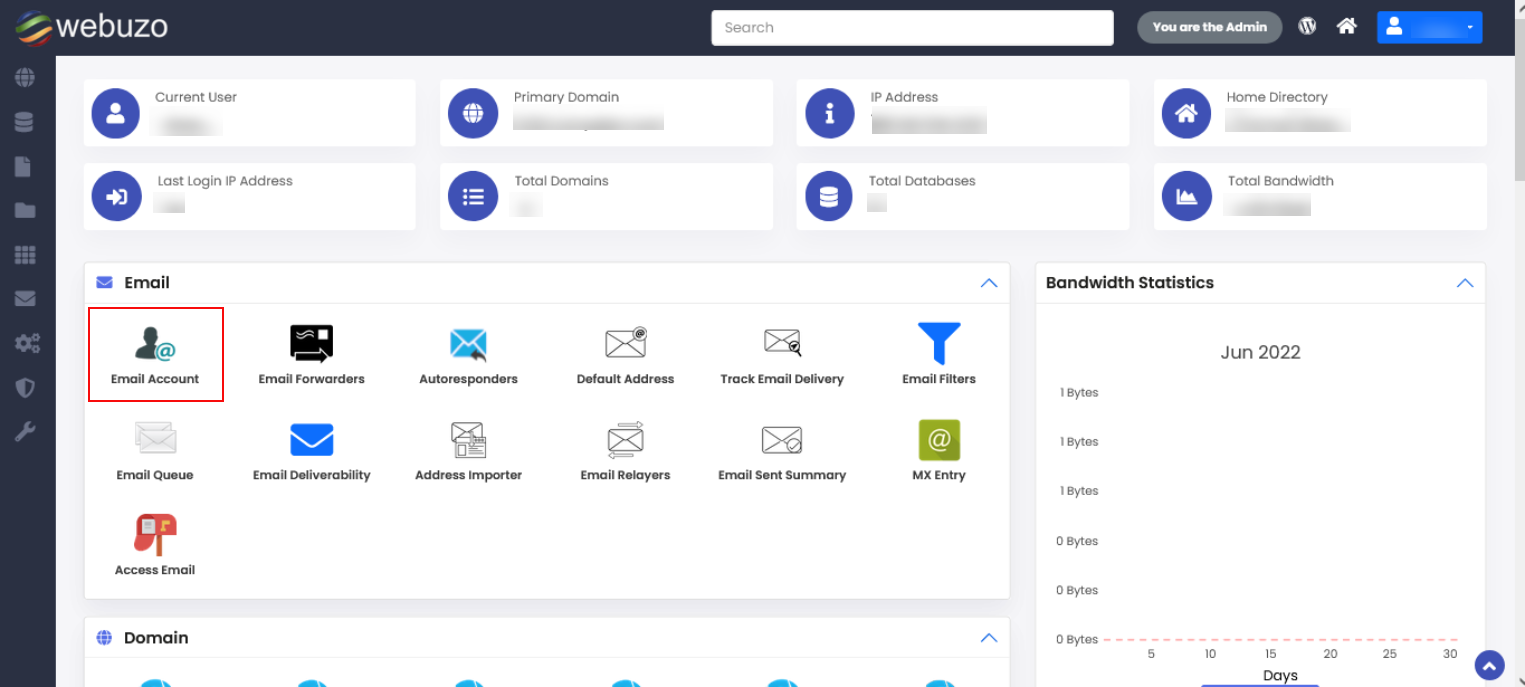
Steps:
Click on the Change Password icon to edit any of the Email accounts.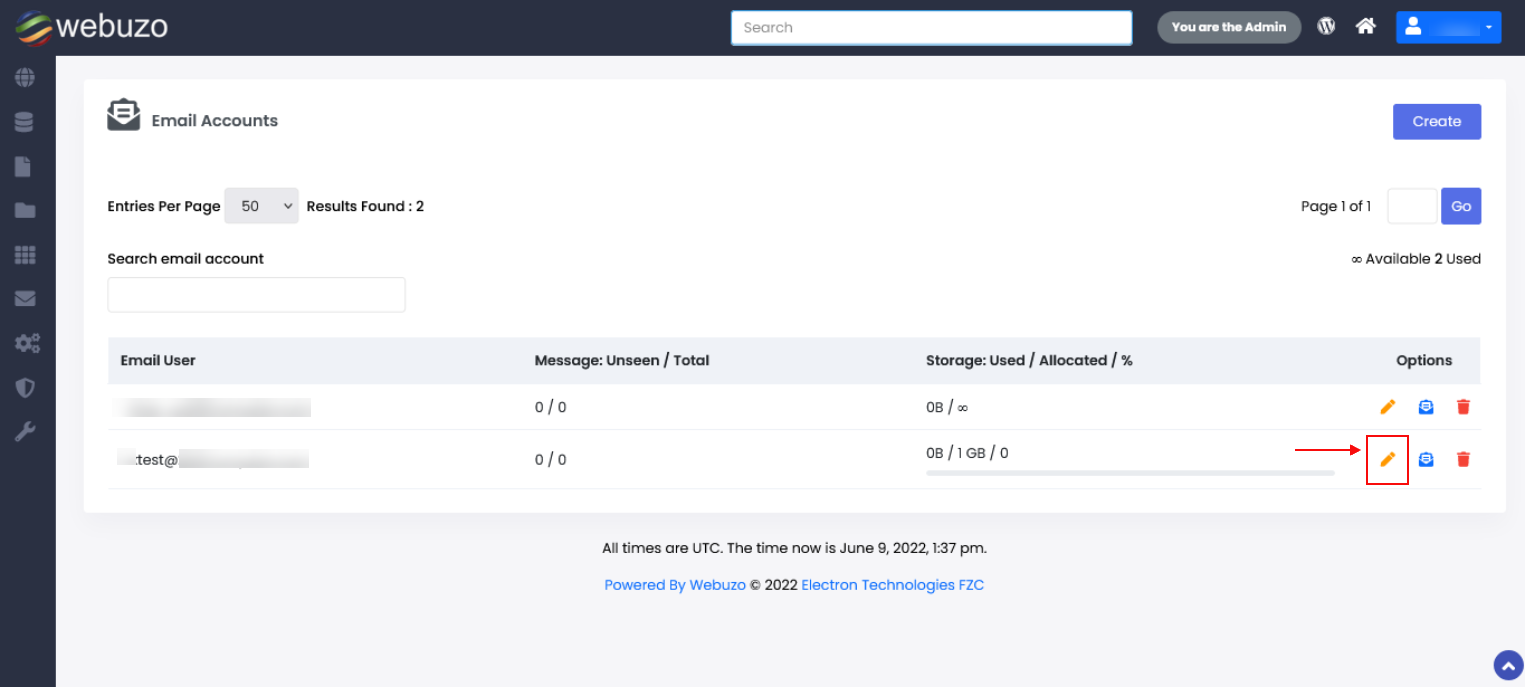
- Make the necessary changes and click on the Save icon.
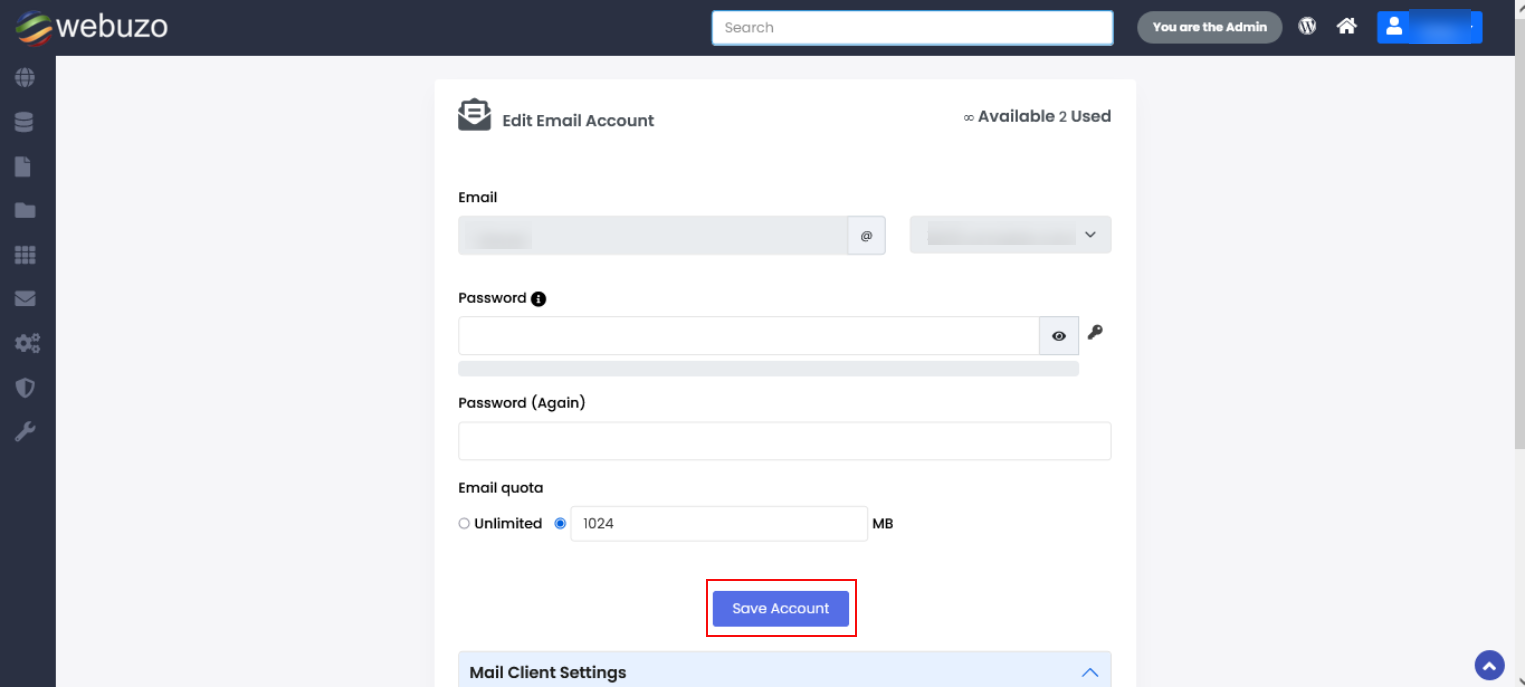
Required Inputs
Password - New password to be set for the email account.