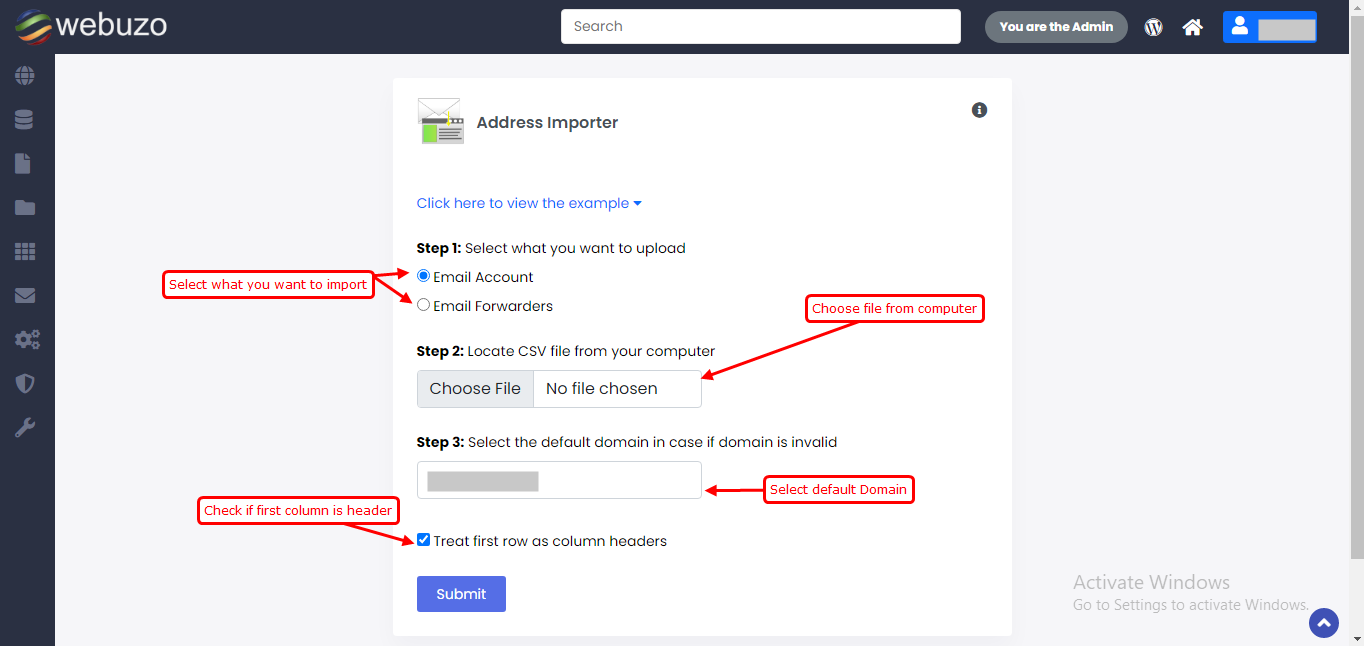
Overview
Address importer can be used to create multiple email address or forwarders.
You can find this in Webuzo user Panel > Email > Address Importer
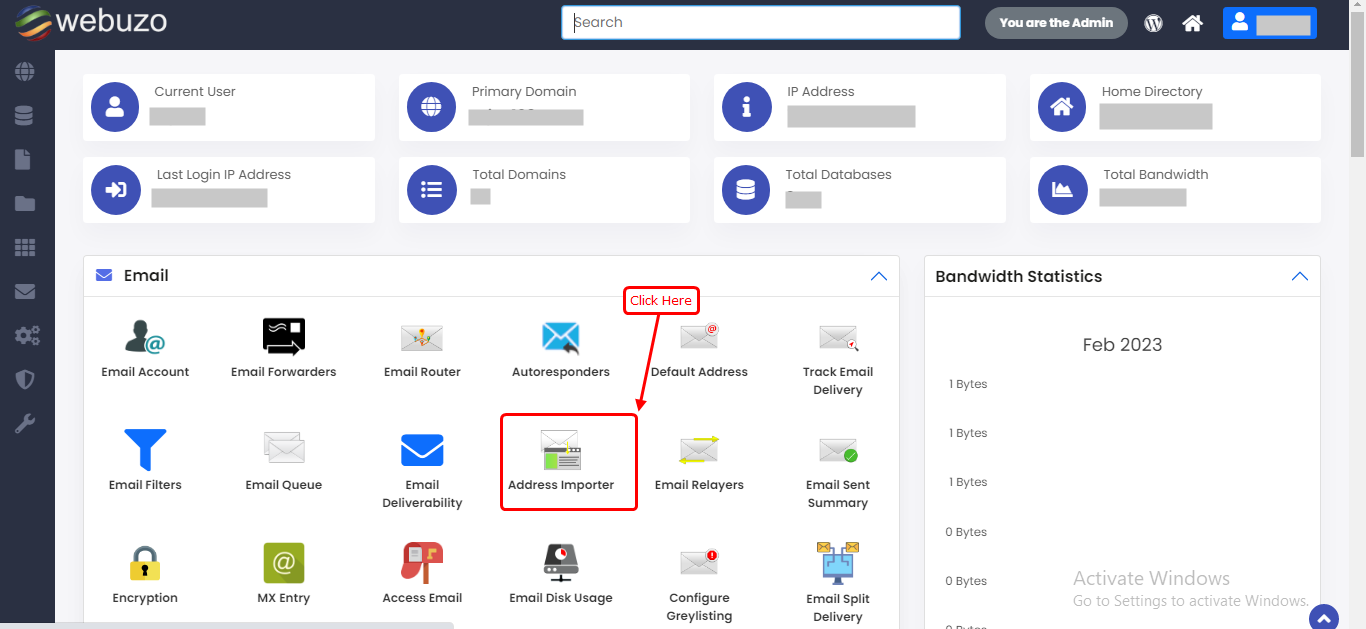
Address Importer
Note: Webuzo Panel Address Importer supports Comma separated value sheet (.csv).
Here you can upload a CSV file with multiple email to create and forward. You can use this interface for import Email Accounts and Email Forwarder list.
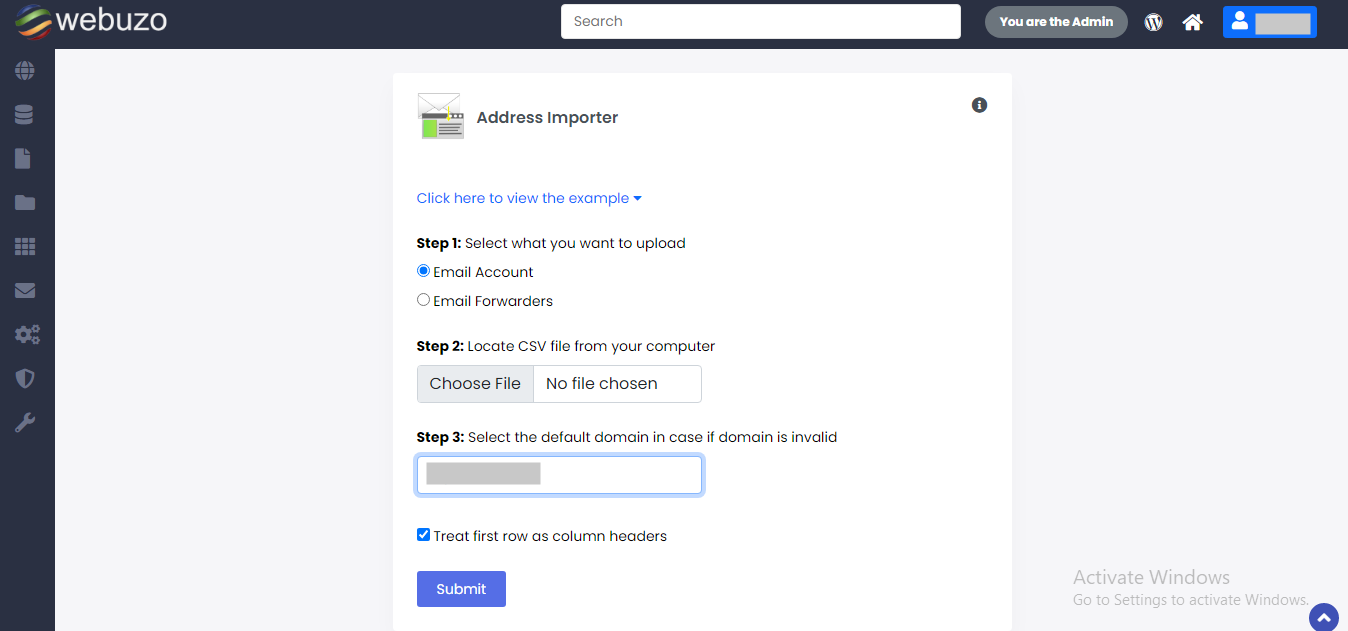
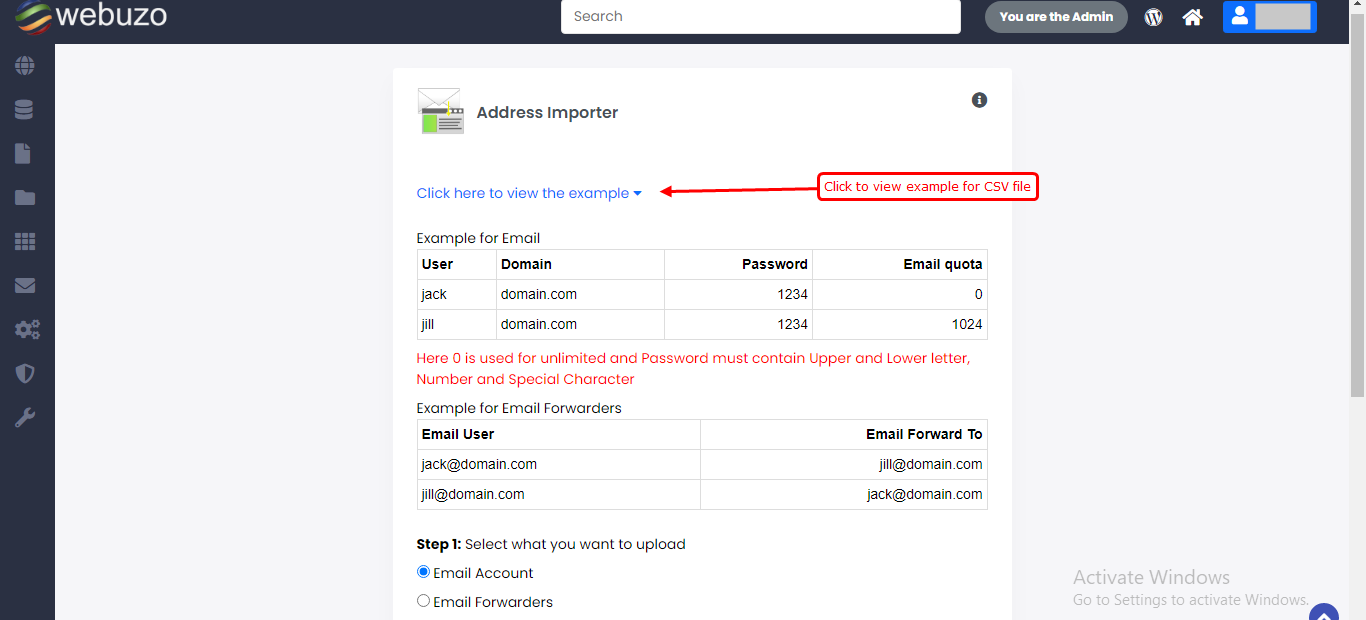
Step 1 : Select what you want to import Email Accounts / Email Forwarders.
step 2 : Choose CSV file from your files.
step 3 : Select default domain in case if domain is invalid.
"Treat first row as column headers" check this if you have first column is header in your CSV file.