
Overview
This guide will show you how to Add an Email Account.
Procedure
You can Add an Email Account from your Webuzo Enduser Panel > Email > Email Account
Screenshot : Email Account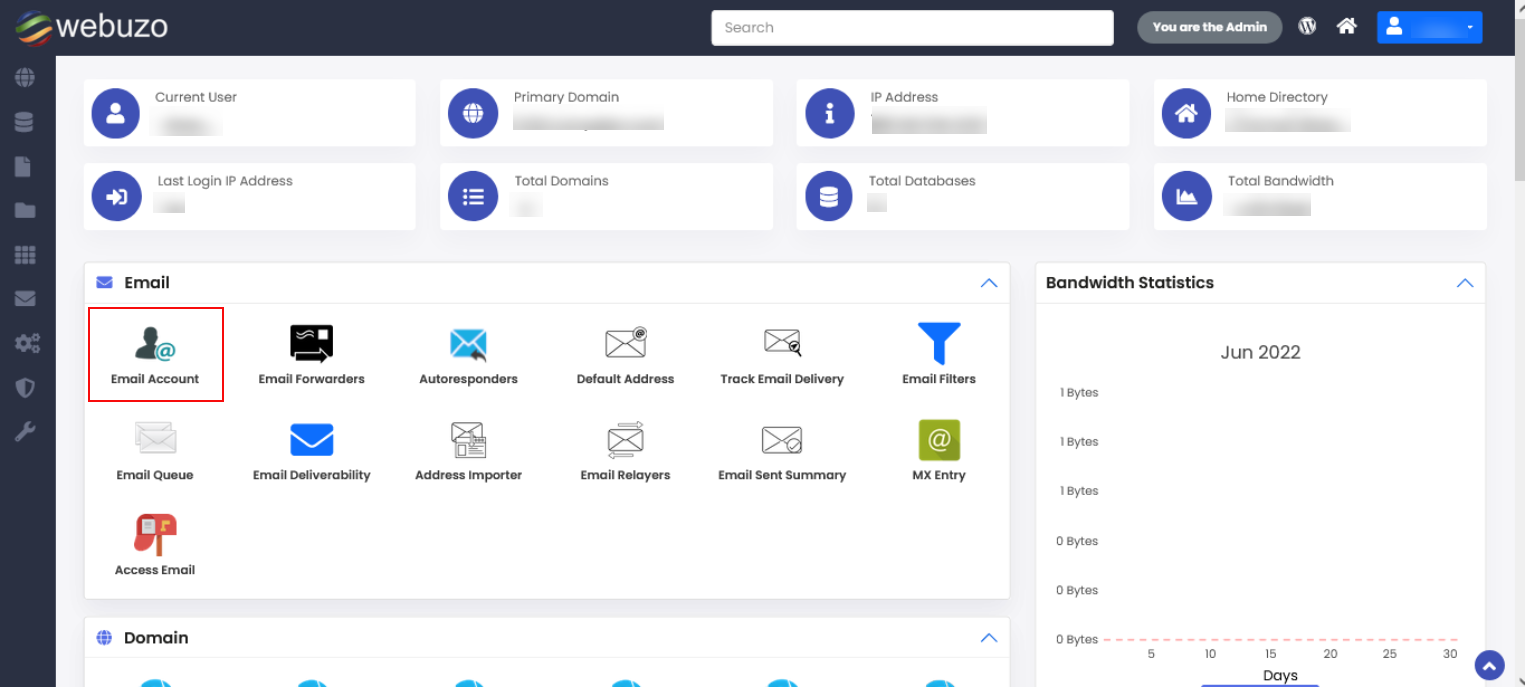
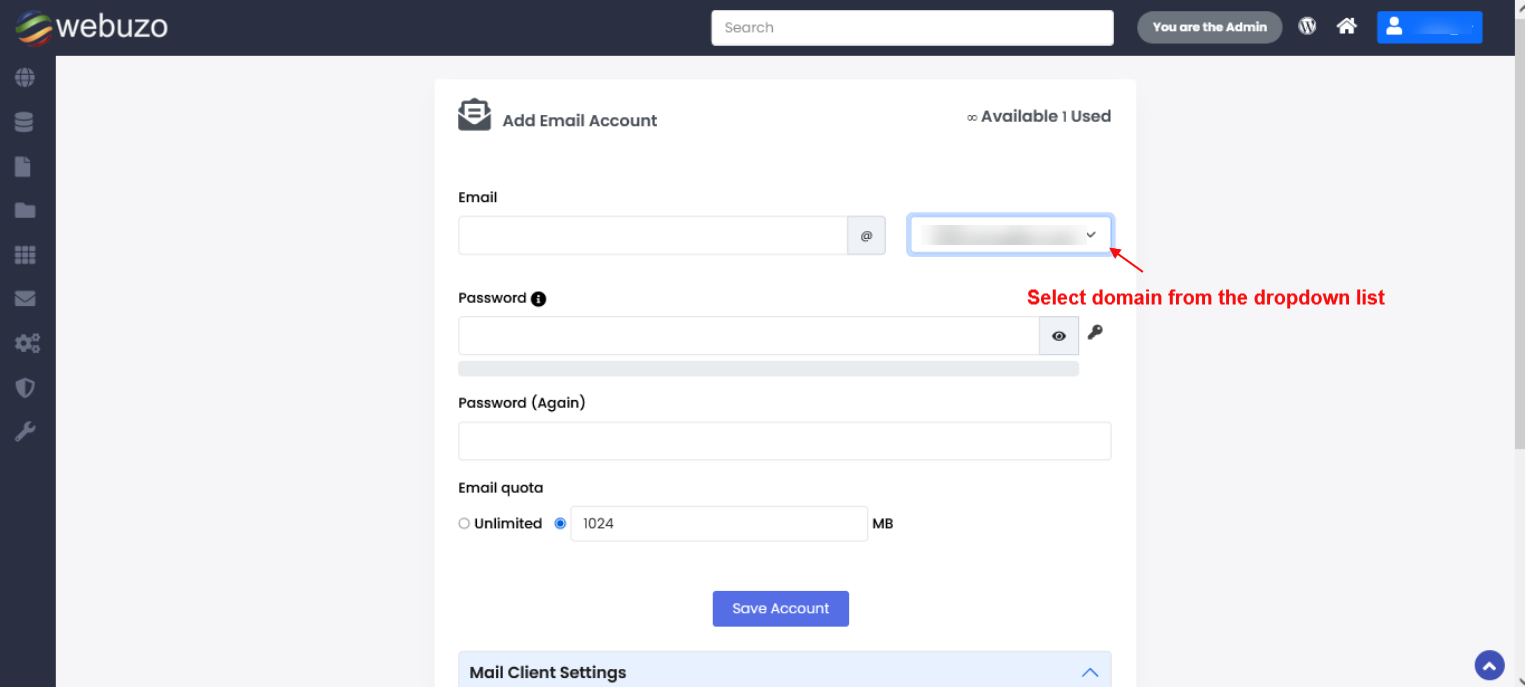
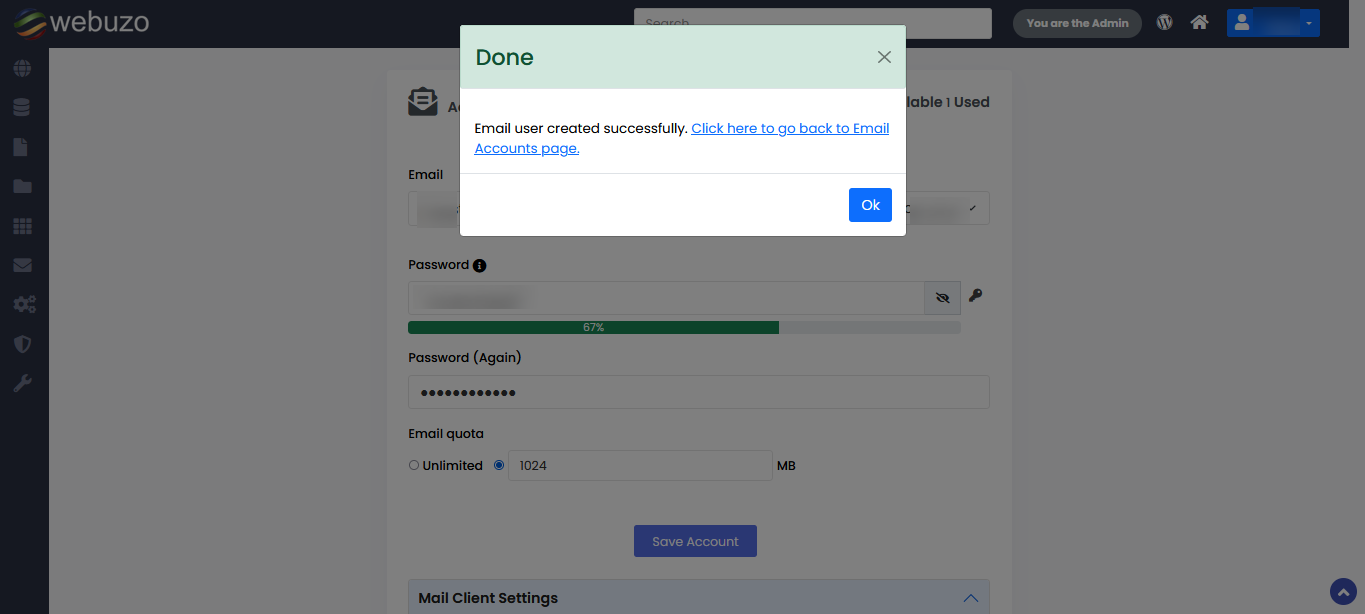
Steps: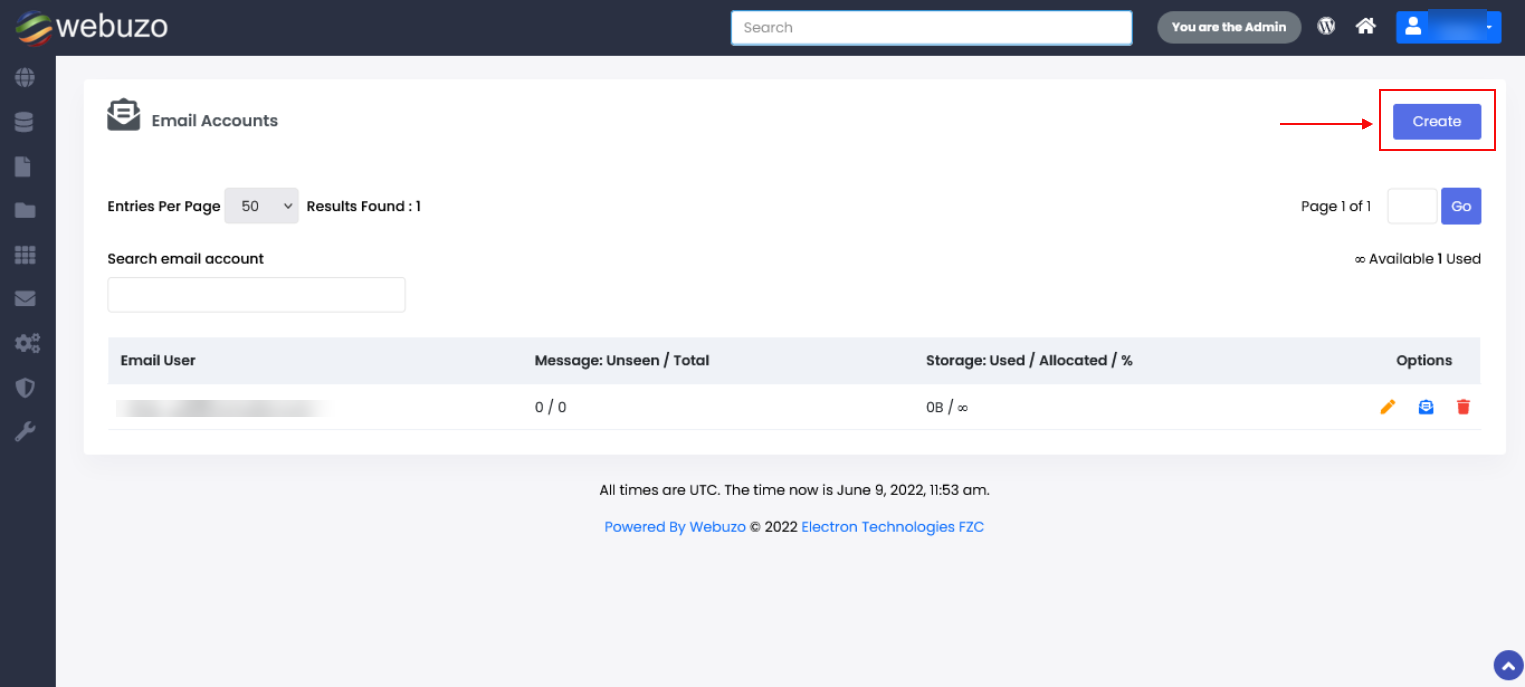
This guide will show you how to Add an Email Account.
You can Add an Email Account from your Webuzo Enduser Panel > Email > Email Account
Screenshot : Email Account
Steps: