
Overview
This guide will help you to Change Password.
Procedure
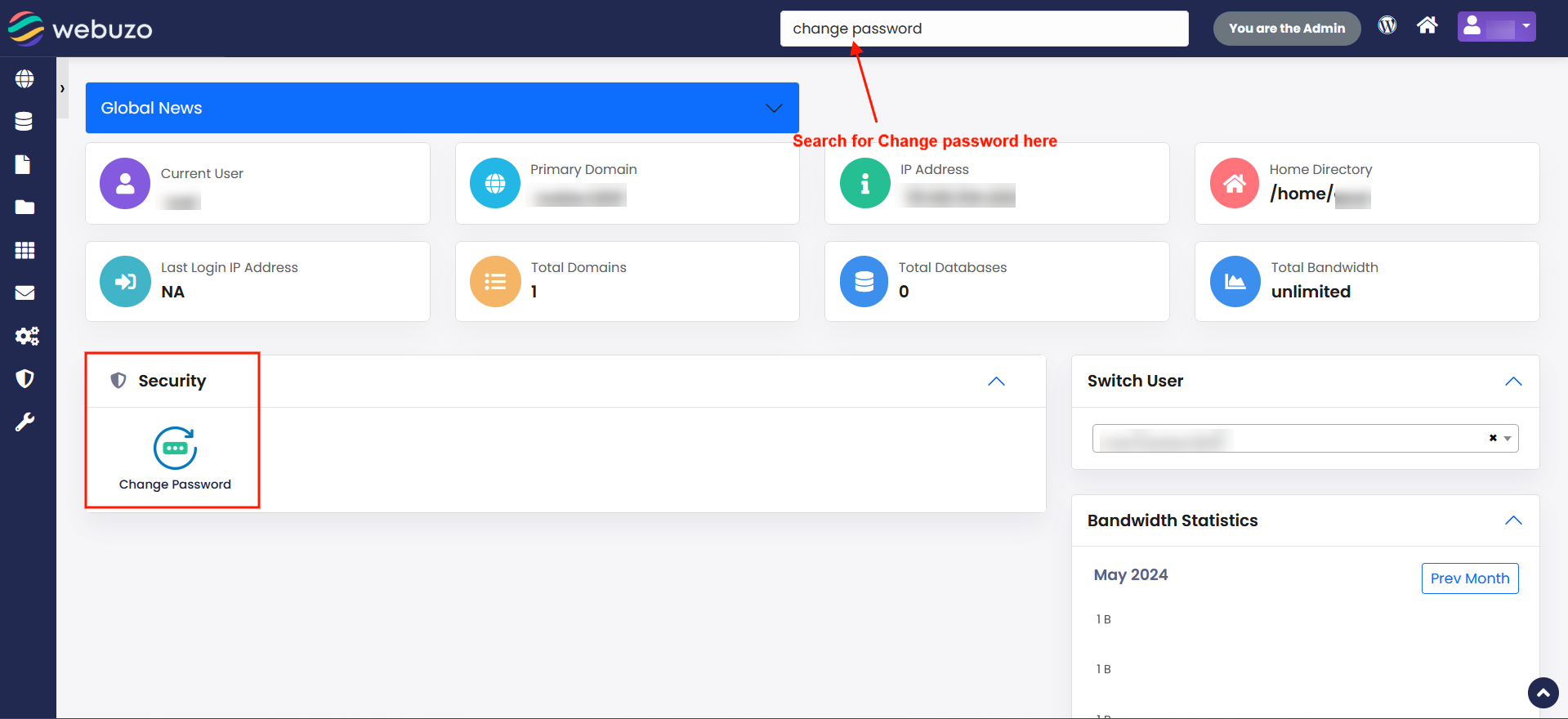
You can Change Password from your Webuzo enduser panel > Security > Change Password
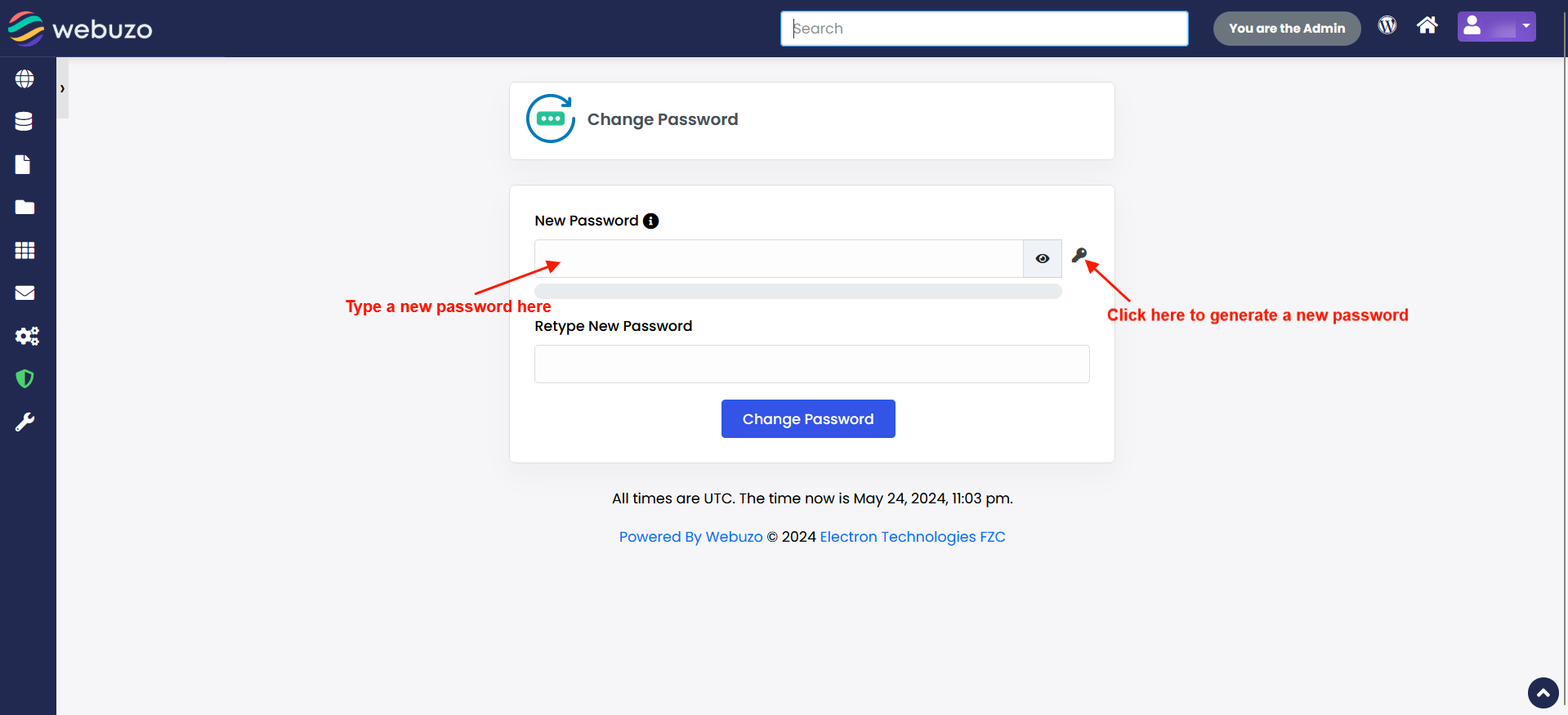
Password strength must be equal to or greater than 65.
We recommend to generate password automatically for more security.